MonteGrid | Tutorials | Set up run settings
Set up run settings
Review the run settings and run the model with 10,000 trials. The next tutorial reads this run.
-
1Open the Run page
Continue with the workbook from Correlate assumptions, or download it below. On the MonteGrid tab, click Run Settings. The Run page opens.
HomeInsertDrawPage LayoutFormulasDataReviewViewAutomateMonteGrid


 A1 Input
A B C D E F 1 Input Value Unit 2 Capital cost 120.0 $M 3 Year 1 volume 200.0 thousand units 4 Volume growth per year 3.0% % 5 Unit price, year 1 450.0 $ 6 Price change per year -1.0% % 7 Variable cost per unit 250.0 $ 8 Fixed cost per year 18.0 $M 9 Tax rate 25.0% % 10 Discount rate 9.0% % 11 Plant life 10 years 12 13 14 15 16 17 18 19 20 21 22 23 24 25 26 27 28 29 30 31 32 AboutInputsCash FlowSummaryReadyAccessibility: Good to goMonteGrid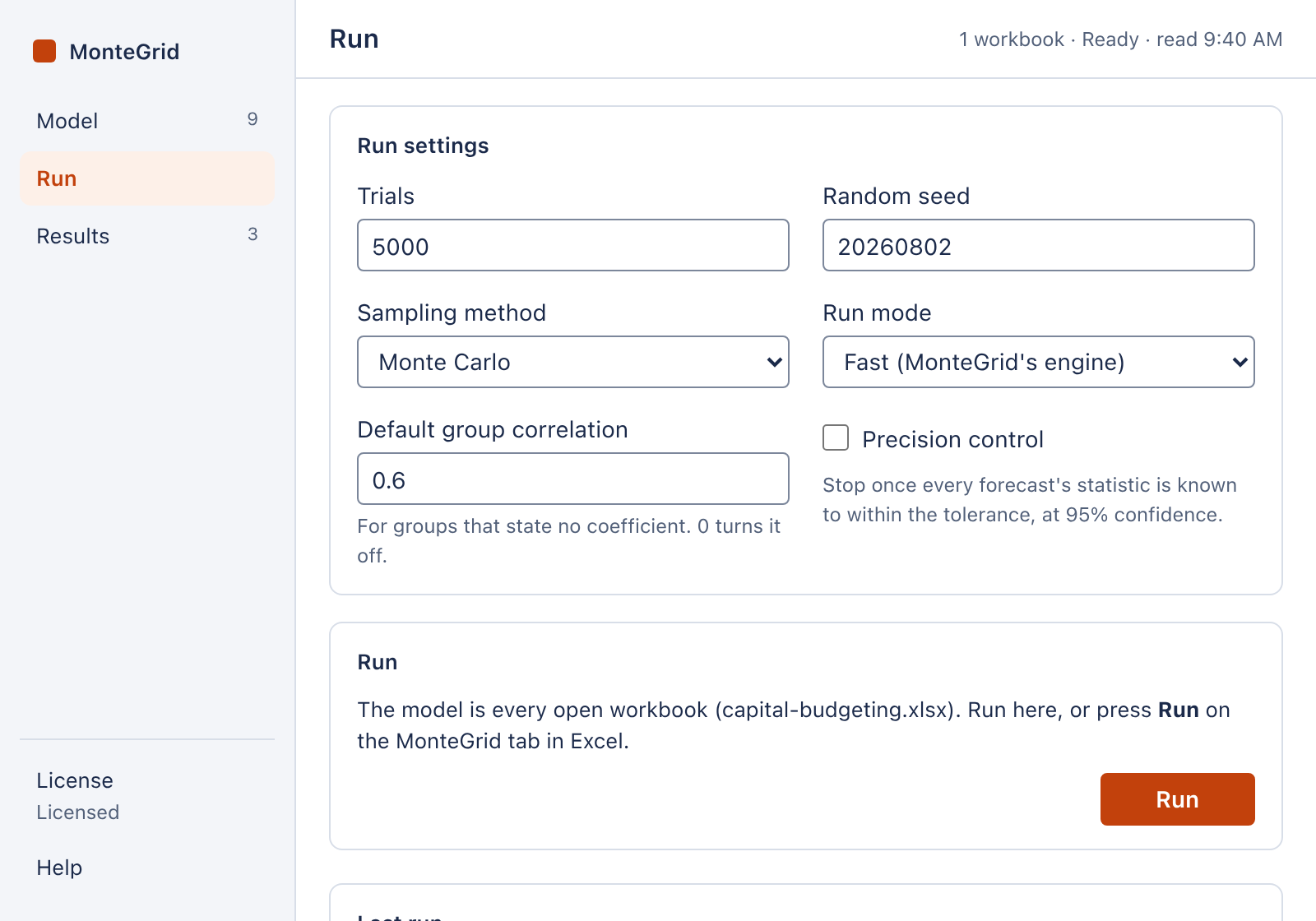
The Run page. The Run page. Open full size -
2Run settings
Setting Default Description Trials 5,000 Number of trials. Random seed 20260802 The same model, settings and seed give the same results. Sampling method Monte Carlo Monte Carlo, Latin Hypercube (random), Latin Hypercube (median) or Quasi-Monte Carlo (Sobol). Run mode Fast (MonteGrid's engine) MonteGrid's engine calculates the workbook. The alternative, Excel (Excel recalculates each trial), runs each trial in Excel. Default group correlation 0.6 Coefficient of a correlation group that has none of its own. 0 turns it off. Precision control Off Stops the run when a statistic of every forecast is known within a tolerance. Note: If MonteGrid's engine cannot calculate a formula, the run falls back to Excel. About this run on the Results page names the cell.
Note: MonteGrid stores the run settings. They are not saved with the workbook.
-
3Run 10,000 trials
- Enter 10000 in Trials.
- Click Run.
When the run ends, the Results page opens.
NPV ($M) 5,000 trials 10,000 trials P10 -42.76 -43.70 P50 5.11 5.26 P90 59.30 58.32 SD 40.47 40.39 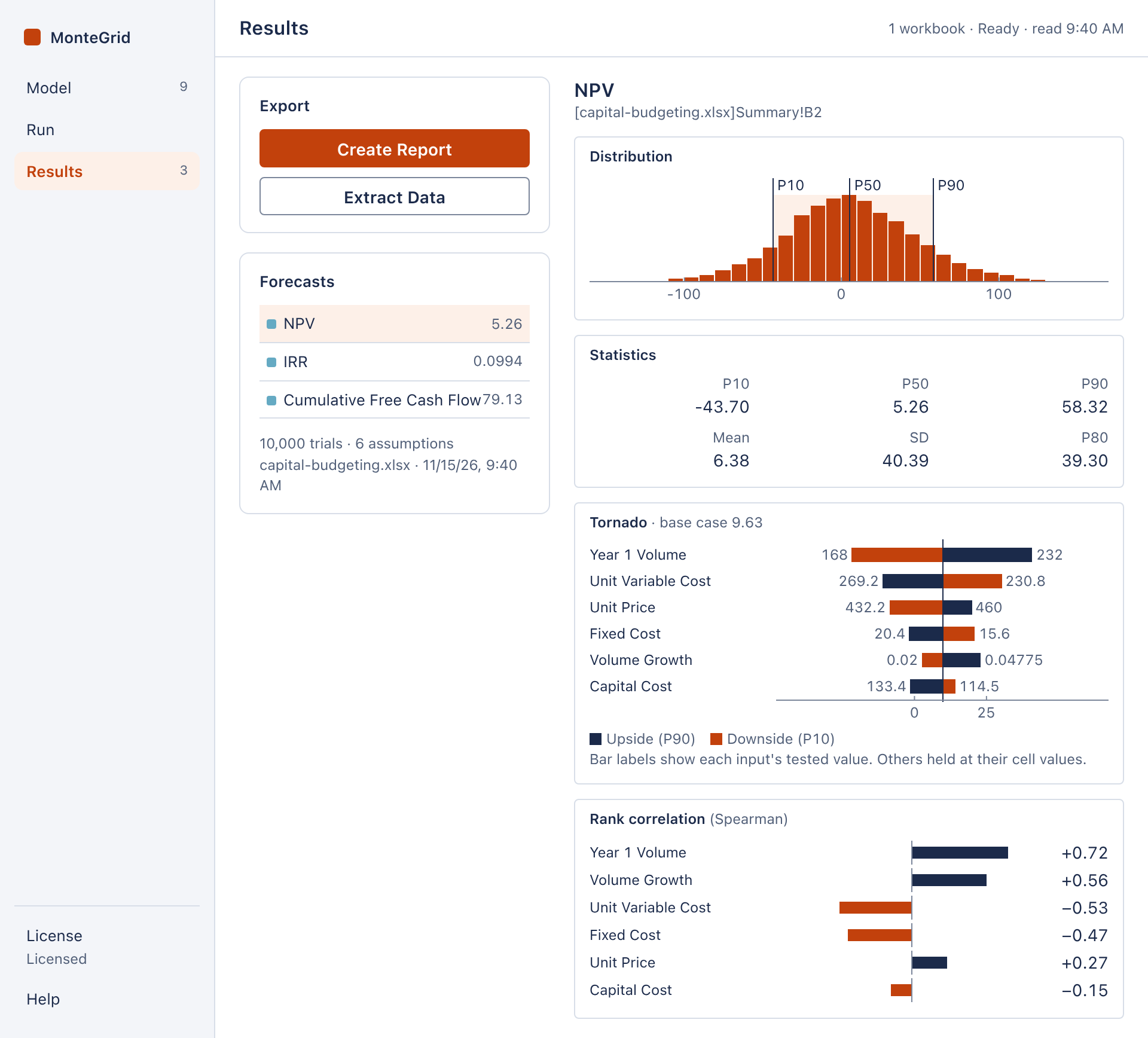
The NPV forecast after 10,000 trials. Open full size -
4Precision control
Precision control stops the run when the chosen statistic of every forecast is known within the tolerance at 95% confidence, or at the maximum number of trials. It requires Monte Carlo sampling.
To use precision control:
- Select Precision control. Trials becomes Trials (at most).
- In Statistic, select Mean or Percentile. For Percentile, enter the percentile.
- Enter the tolerance in Tolerance (%).
- Click Run.
Last run shows the number of trials run, of the maximum, followed by (precision reached).