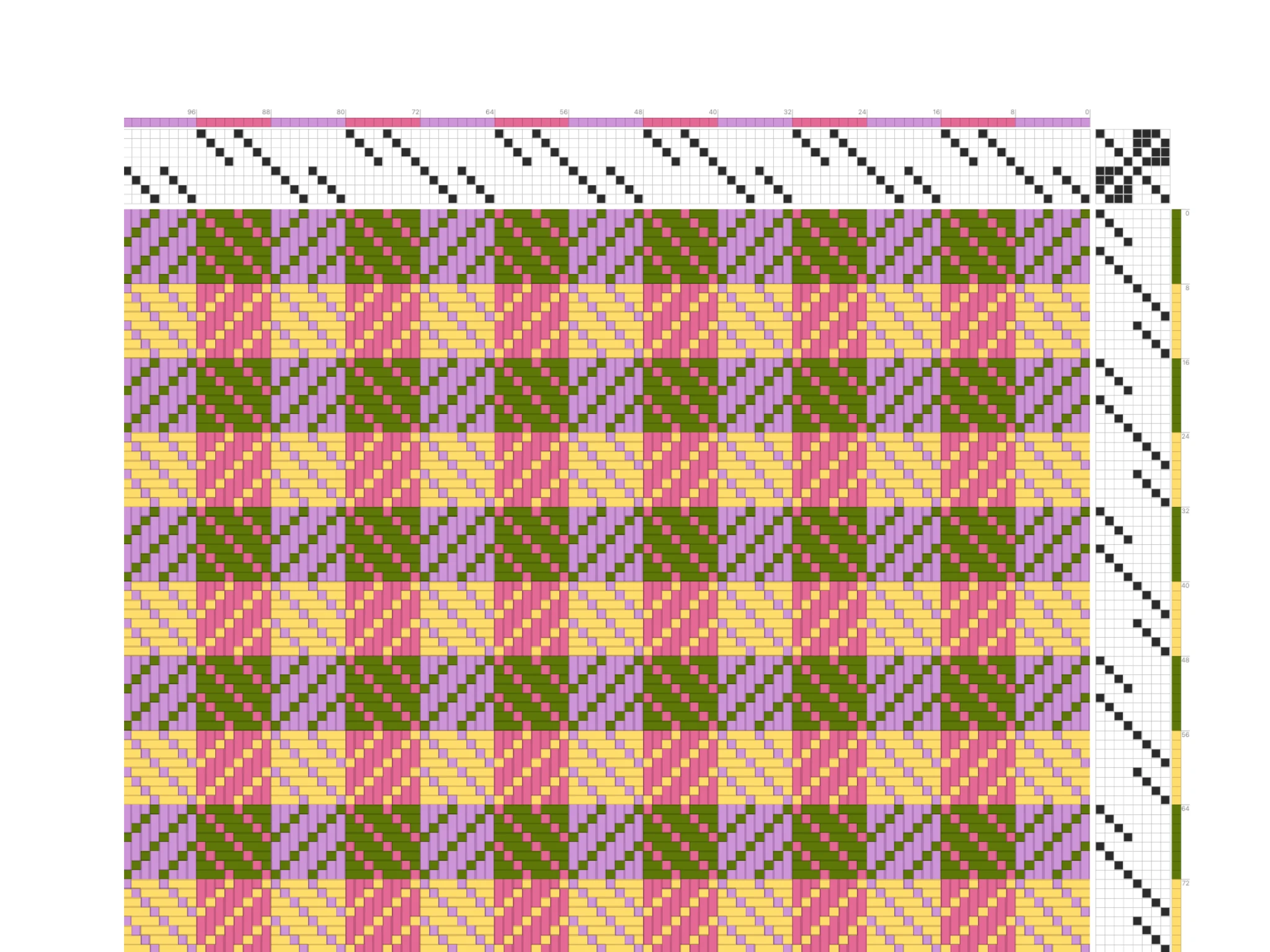
¡Bienvenido a Bower! En este tutorial aprenderás a configurar los colores de tus hilos más rápido y a crear secuencias de color más complejas.
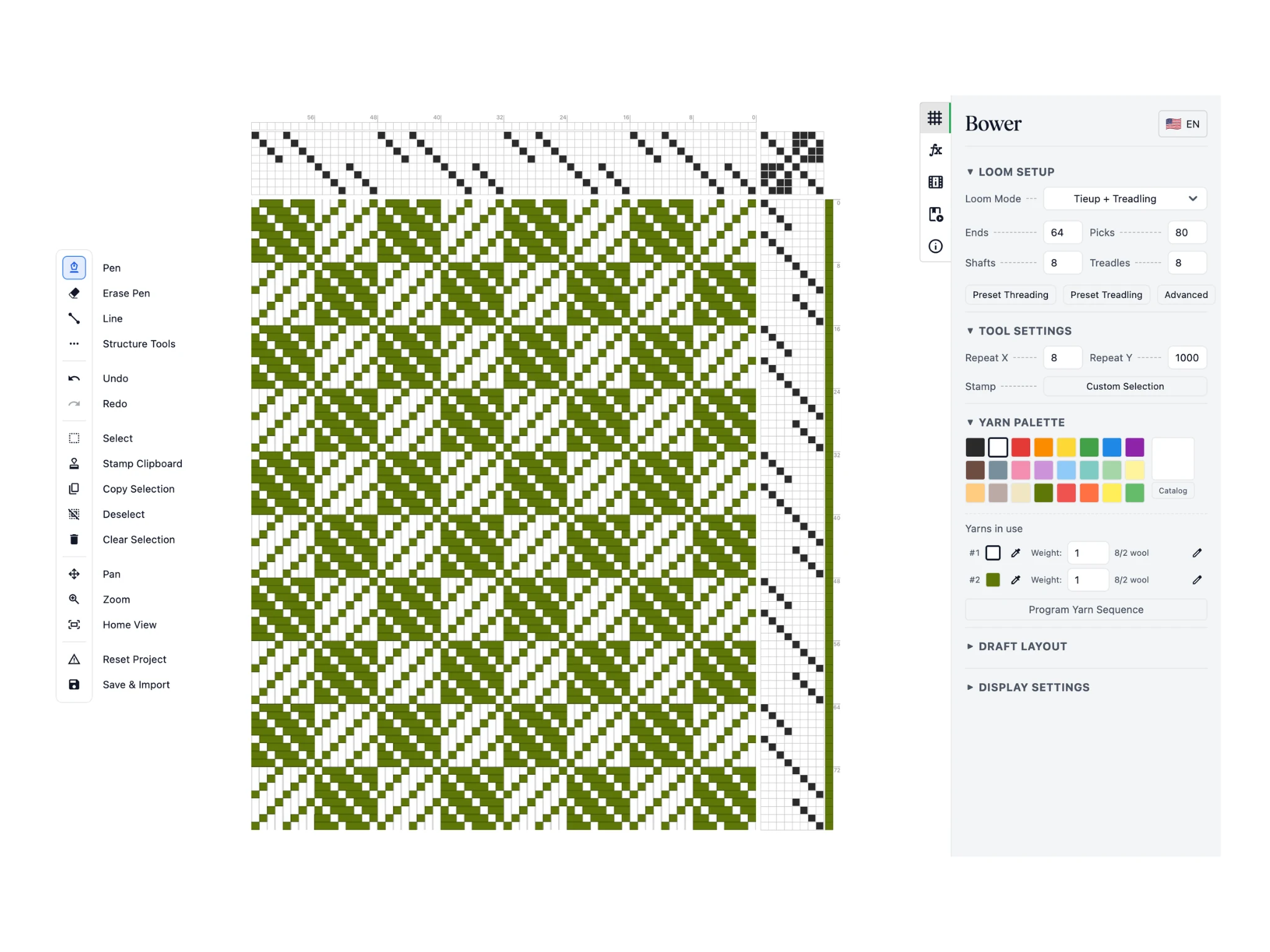
Empezaremos este tutorial con un diseño de sarga girada de ocho lizos. Puedes obtener el archivo .BOWER aquí y cargarlo con el botón Guardar e importar.
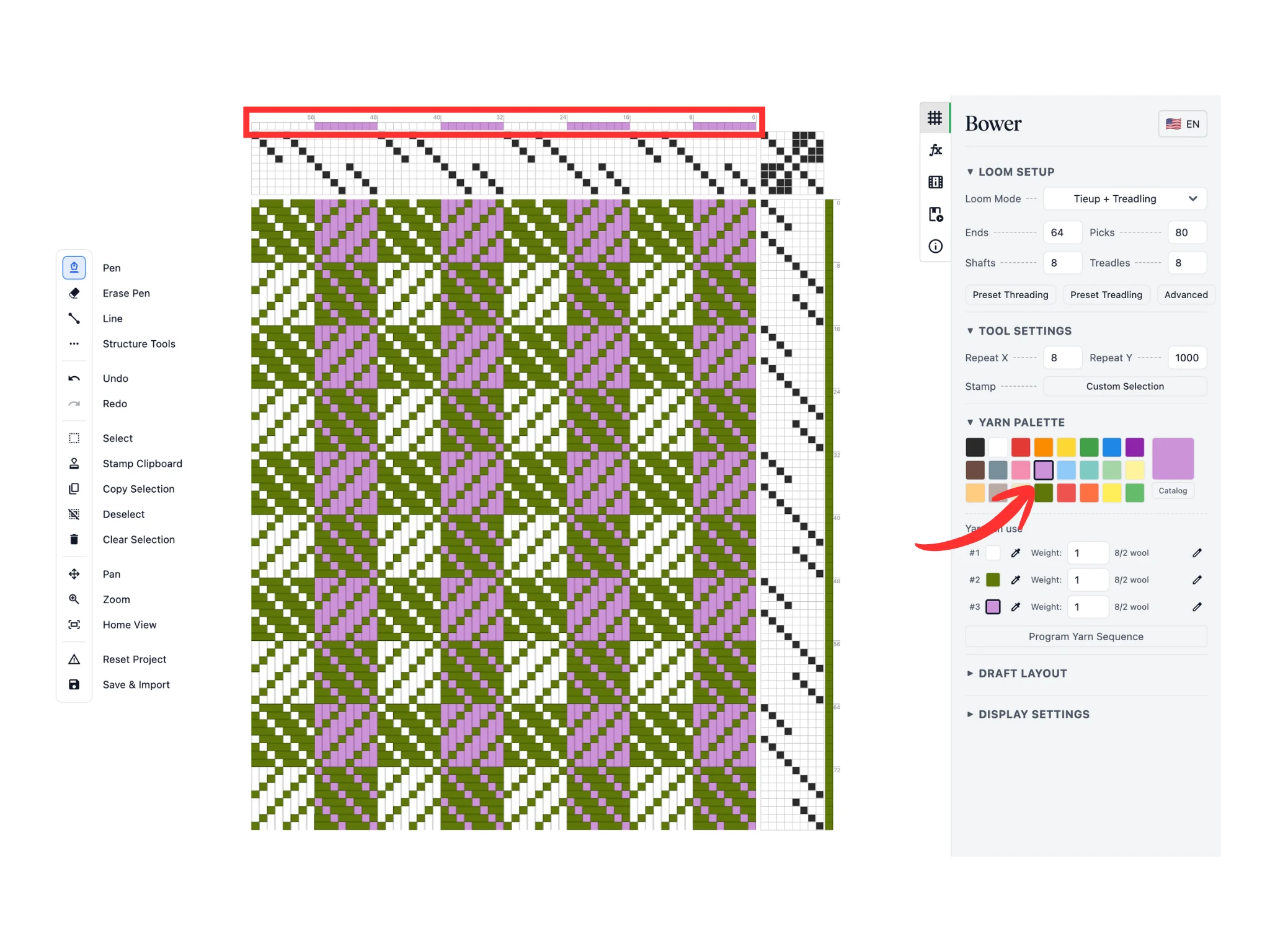
Recuerda que el software tiene un color activo y podemos cambiarlo haciendo clic en los colores predefinidos de la Paleta de hilos.
En este tutorial, hemos elegido un color morado claro. Usa la herramienta Lápiz para cambiar las asignaciones de color de urdimbre en la fila de celdas situada encima de la sección de remetido en el editor.
Puedes ver cómo el patrón del tejido se recolorea en consecuencia.
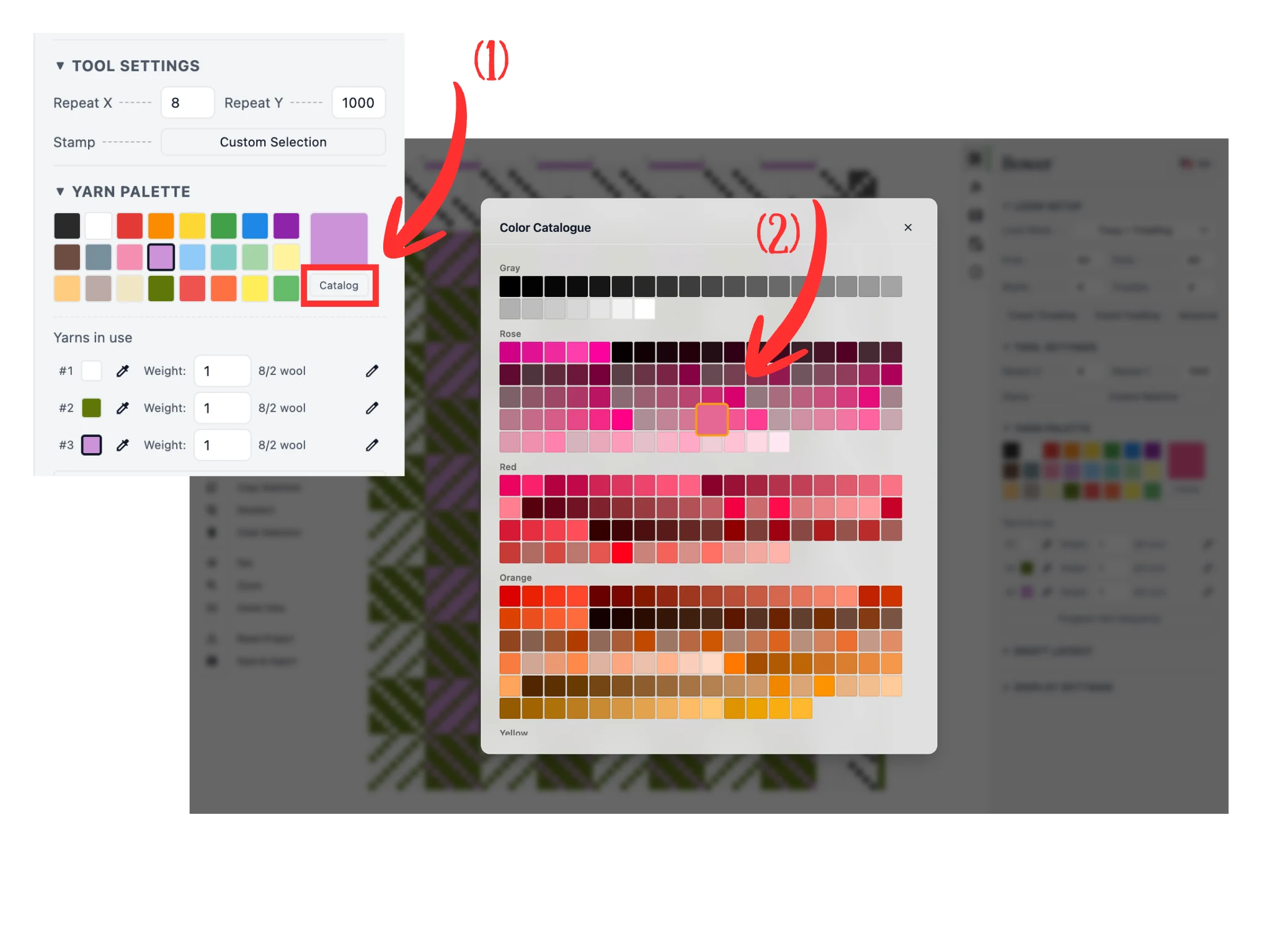
Recuerda que puedes hacer clic en el botón Catálogo (1) debajo de la sección Paleta de hilos para ver nuestro catálogo completo de más de 1000 colores.
Desplázate hasta encontrar un color que te guste y haz clic en él (2) para definirlo como el color activo.
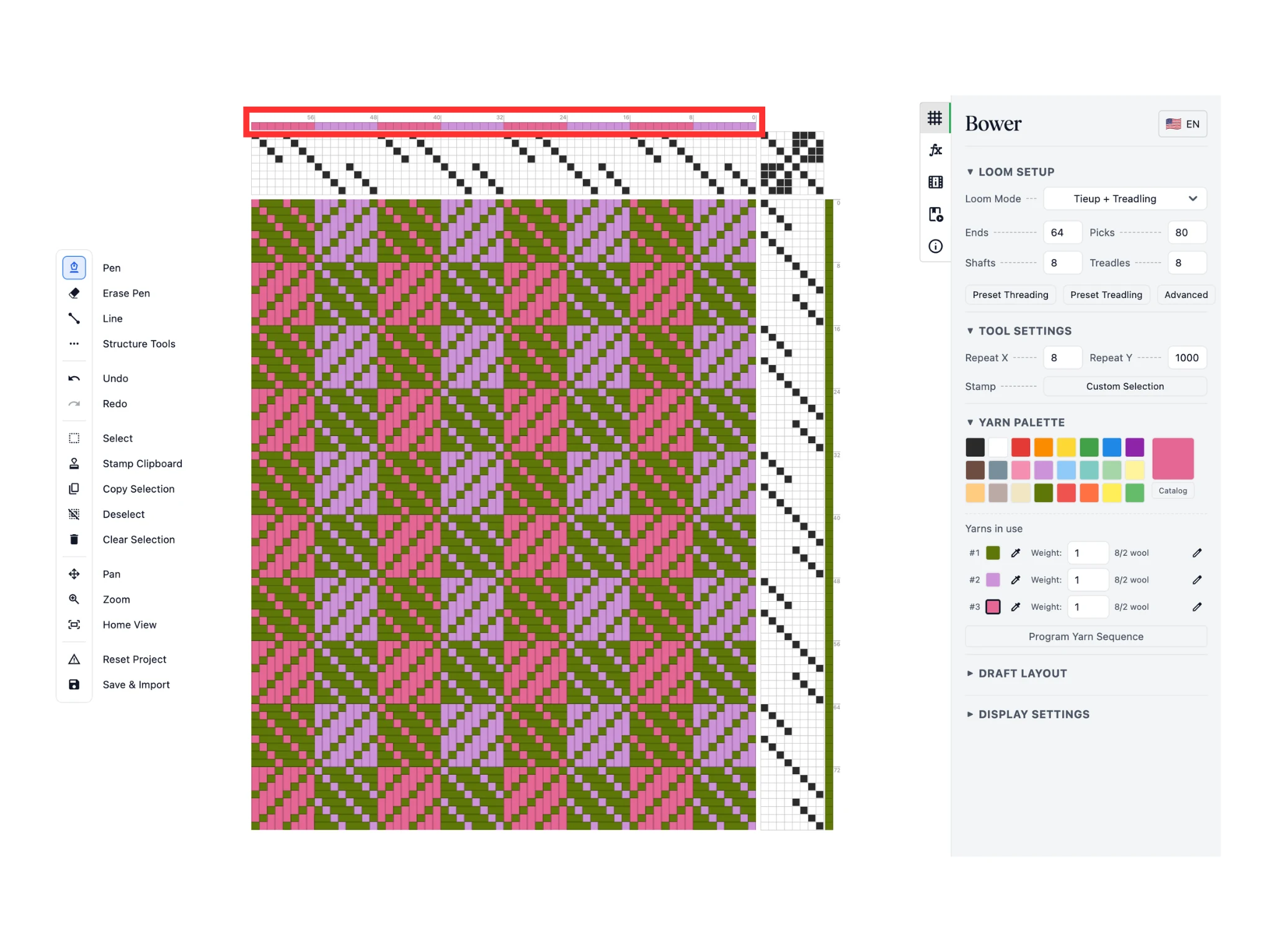
De nuevo, usa la herramienta Lápiz para cambiar las asignaciones de color de urdimbre en la fila de celdas situada encima de la sección de remetido en el editor.
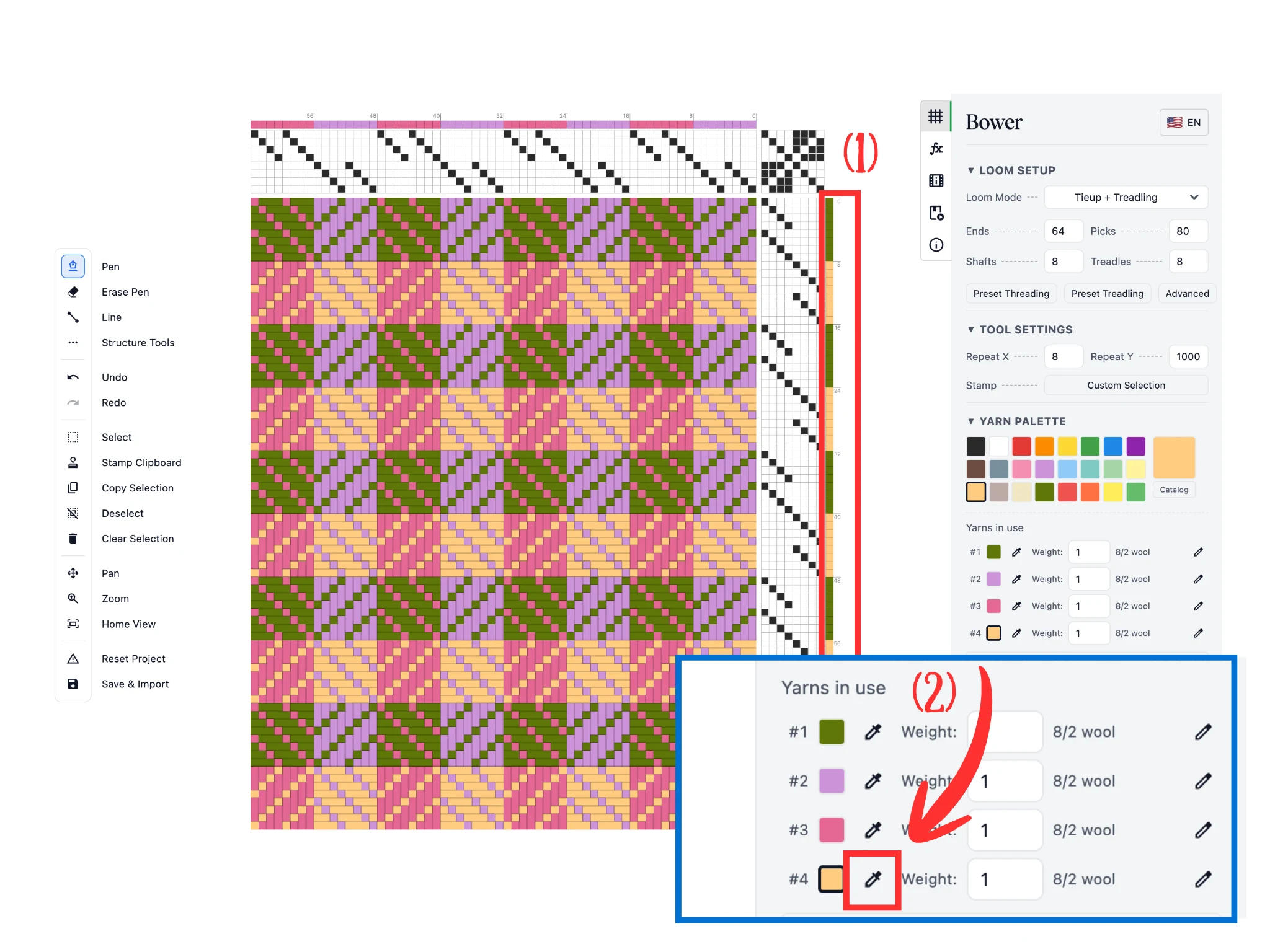
Hemos elegido otro color y usado la herramienta Lápiz para cambiar las asignaciones de color de trama (1) en la columna de celdas a la derecha de la sección de pedaleo en el editor.
Recuerda que la sección «Hilos en uso» muestra todos los colores actualmente en uso. Podemos ajustarlos haciendo clic en el botón de cuentagotas (2) junto a las muestras de color.
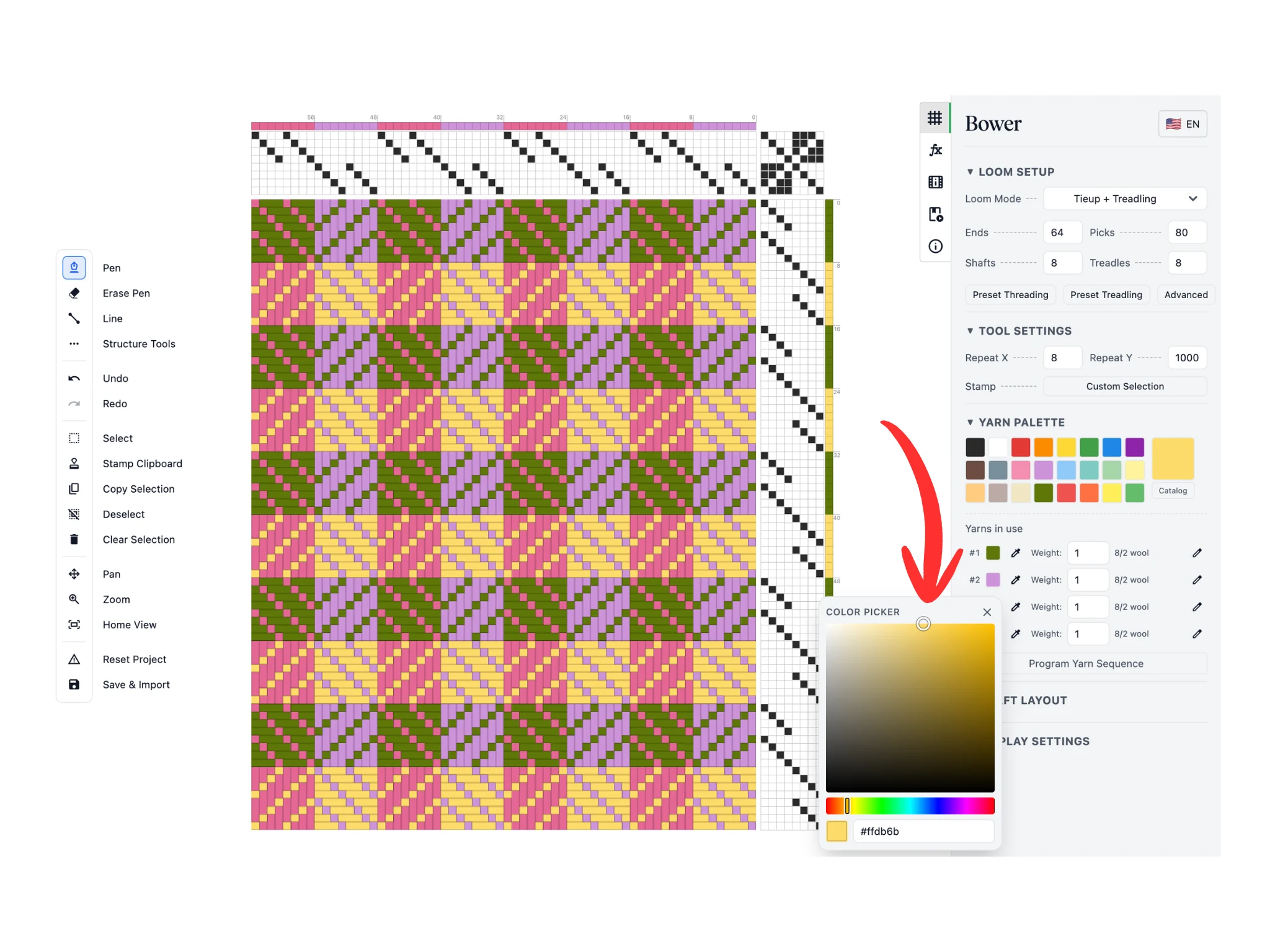
Esto abre una ventana emergente de selector de color donde puedes cambiar el tono, la saturación y el valor del color de ese hilo en particular. Puedes ver cómo los cambios de color se actualizan en vivo en el patrón del tejido.
Una vez que estés satisfecho con tus cambios, haz clic en el botón «X» para cerrar la ventana emergente del selector de color.
Estos son los métodos básicos para configurar el color en Bower.
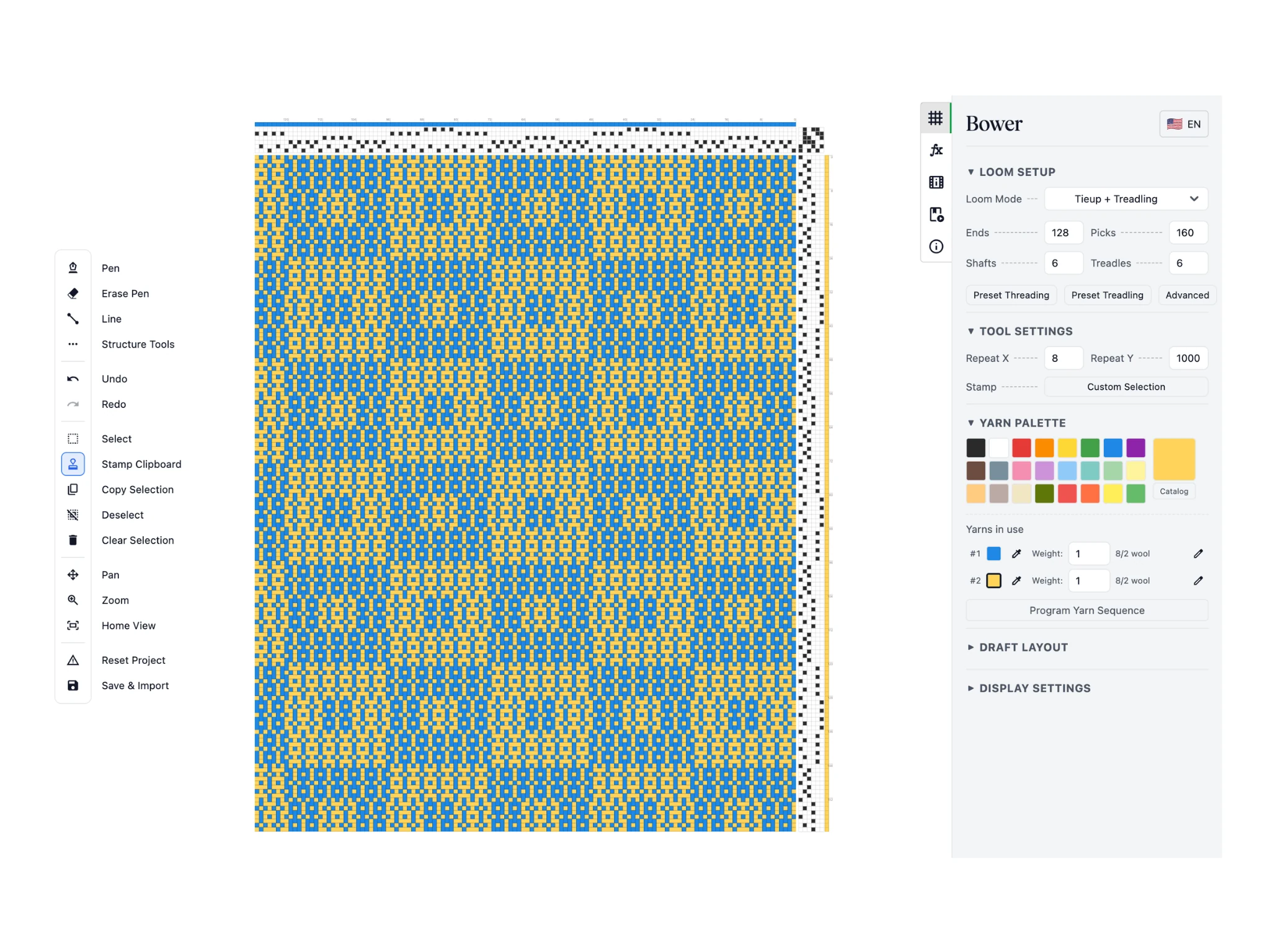
Para la siguiente parte de este tutorial, usaremos un diseño de Verano e Invierno de seis lizos para demostrar asignaciones de color más complicadas.
Puedes obtener el archivo .BOWER aquí y cargarlo con el botón Guardar e importar.
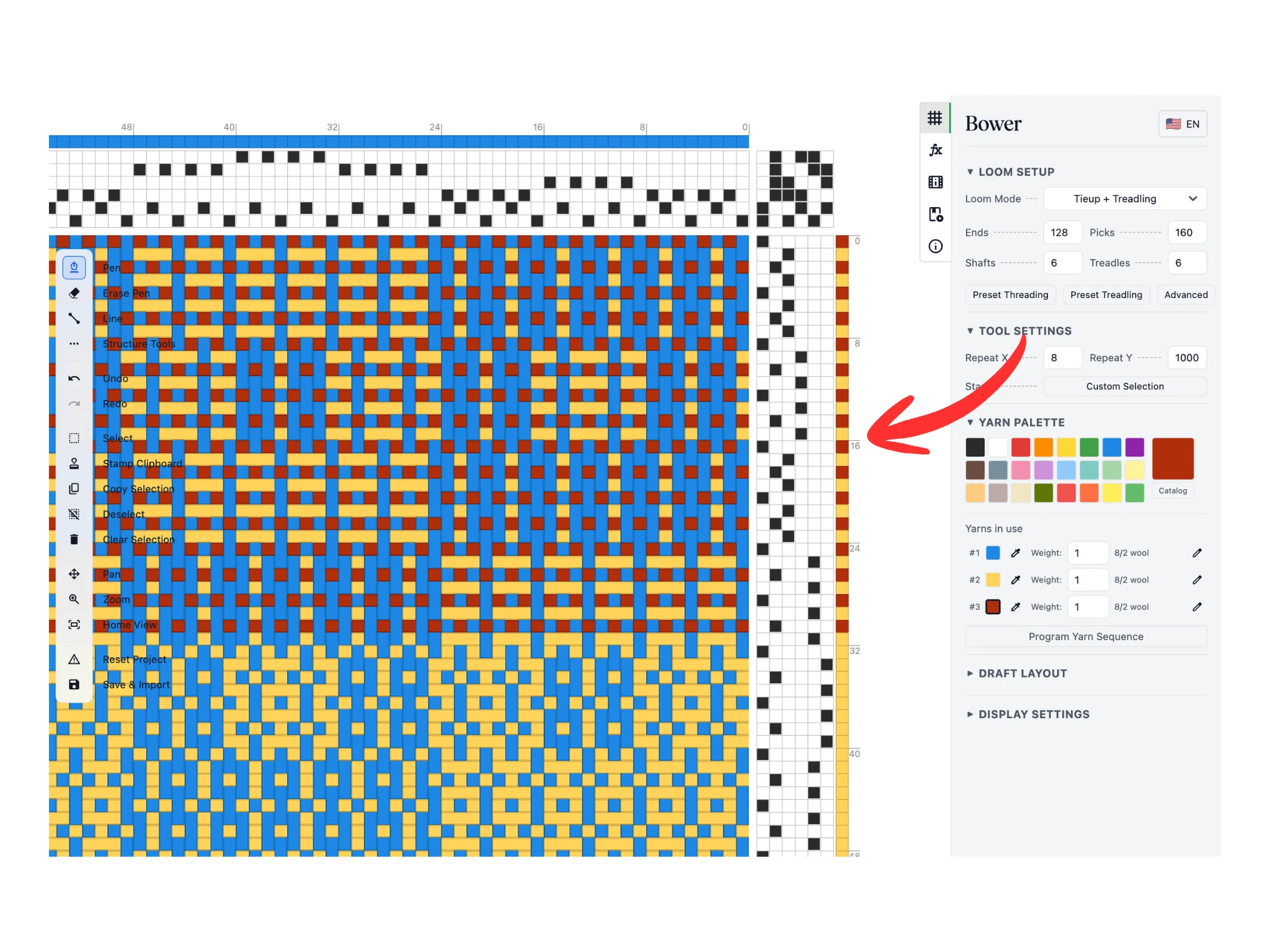
Una característica distintiva de los tejidos de Verano e Invierno son las pasadas de tafetán en los pedales 1 y 2 que amarran los flotantes de urdimbre. A menudo se hacen con un hilo y un color de hilo diferentes.
En este tutorial, hemos elegido un rojo intenso y coloreado todas las pasadas de los pedales 1 y 2 para las primeras 32 pasadas por ahora.
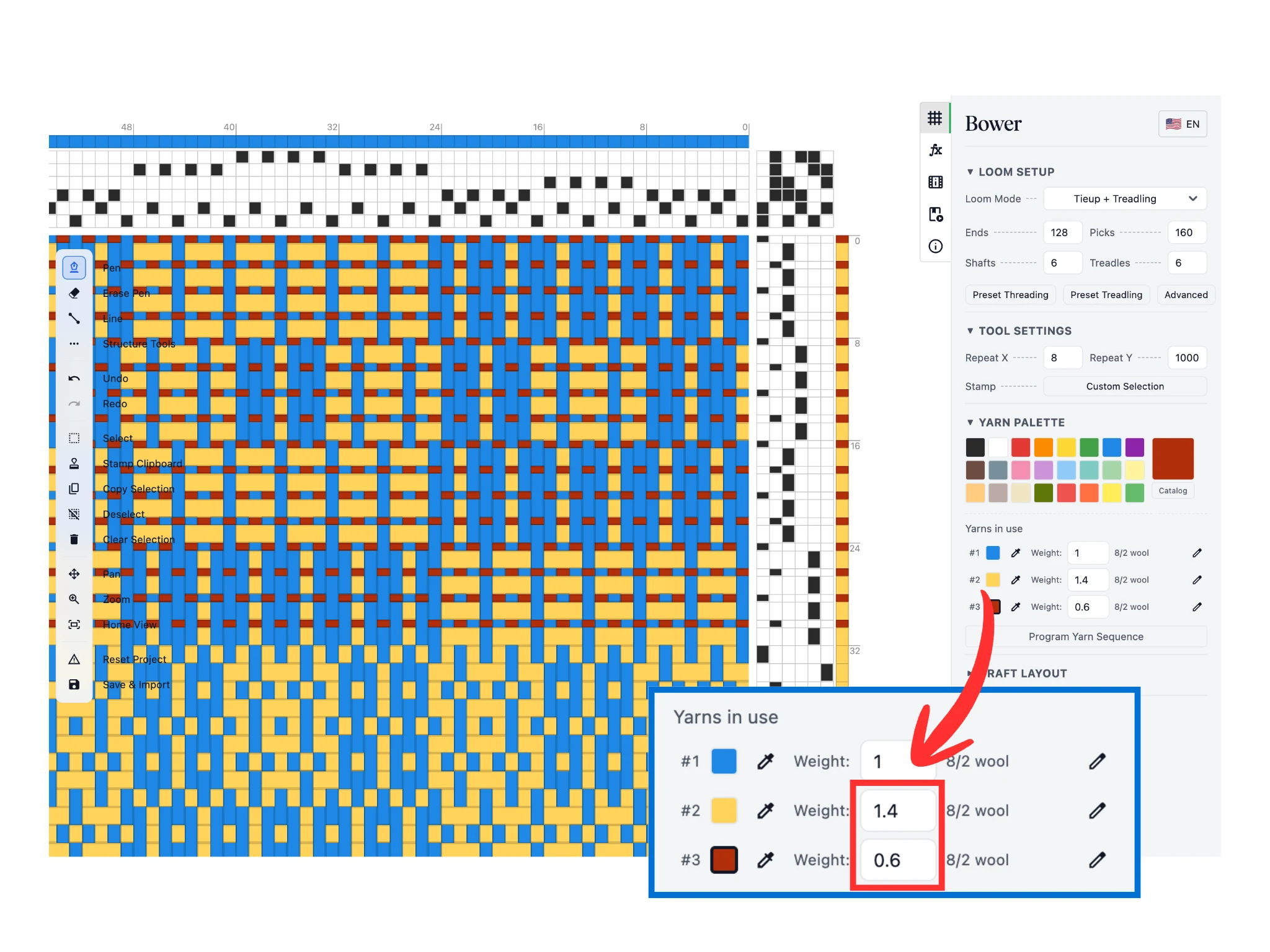
En la sección «Hilos en uso», podemos ajustar el peso de cada hilo, que es la proporción relativa de qué tan gruesos aparecen en el editor. Define las pasadas de tafetán con un peso de 0.6 y las pasadas de patrón con un peso de 1.4.
Esta función te permite visualizar mejor tu diseño de tejido si usa hilos de distintos grosores.
El resto del tutorial implica aprender a programar para definir tus asignaciones de color automáticamente. ¡Si esto no te interesa, puedes detener el tutorial aquí! Las habilidades que has aprendido hasta ahora son suficientes para llevarte lejos.
Si te interesa, por favor continúa...
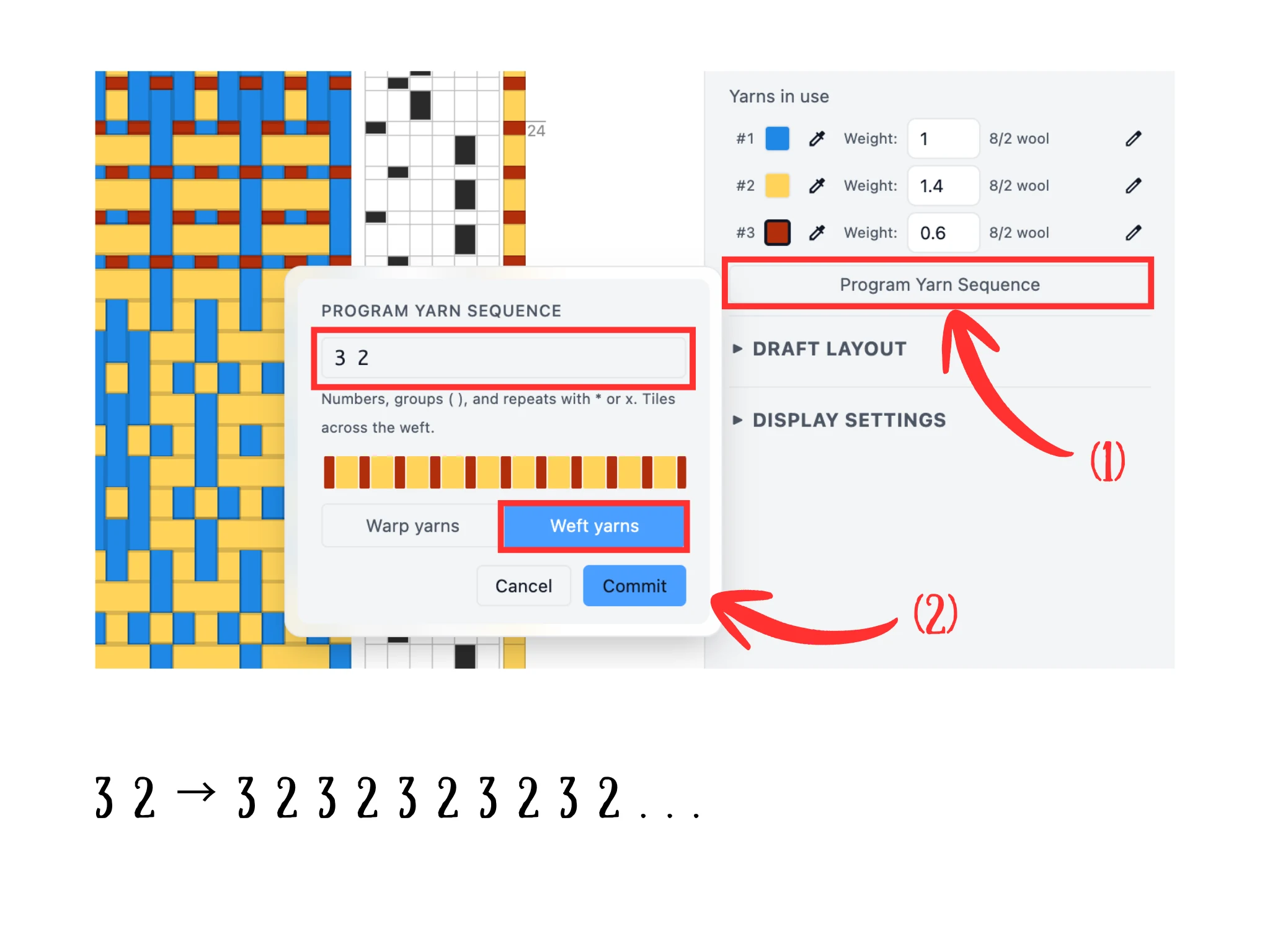
Usar manualmente la herramienta Lápiz para asignar cientos de colores de trama se vuelve tedioso rápidamente. En su lugar, podemos introducir una fórmula mediante el botón «Programar secuencia de hilos» (1), que abre una ventana emergente.
Ten en cuenta que nuestros hilos en «Hilos en uso» están numerados #1, #2, #3, y así sucesivamente. Estos números identifican los hilos. Así, en el tutorial, el hilo 1 es azul, el hilo 2 es amarillo y el hilo 3 es rojo, como se muestra en la imagen.
Para programar una secuencia de hilos, introduce una secuencia de números. Así, para una secuencia 3 2, obtenemos el hilo 3 (rojo) y luego el hilo 2 (amarillo). El software repite automáticamente la secuencia introducida. Así, 3 2 se expande a 3 2 3 2 3 2 ... lo que nos da asignaciones alternas de pasadas de tafetán y de patrón.
Asegúrate de que la opción «Hilos de trama» esté seleccionada y haz clic en el botón «Commit».
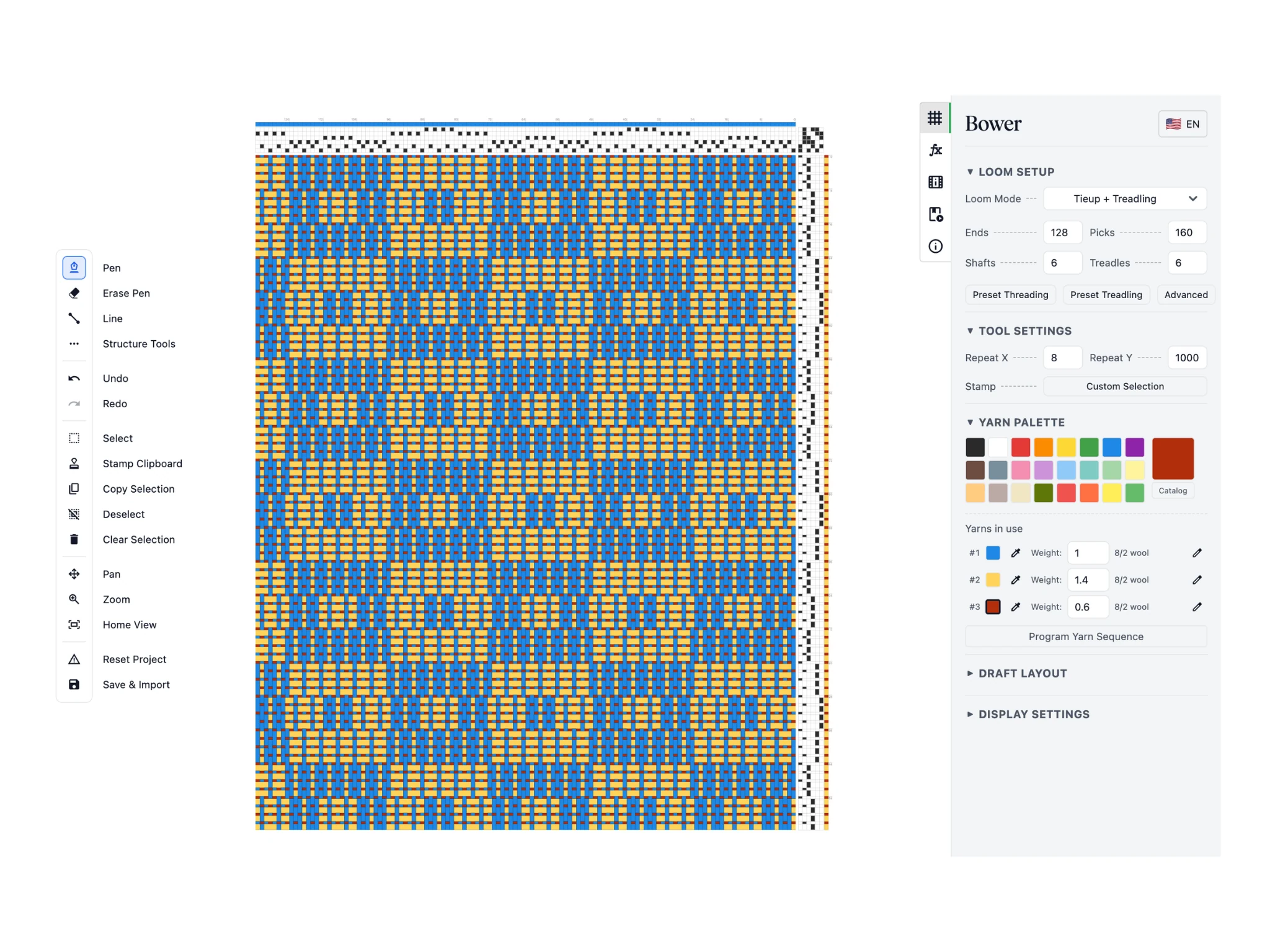
Ahora, observa cómo la secuencia de hilos programada se ha asignado a todas nuestras pasadas.
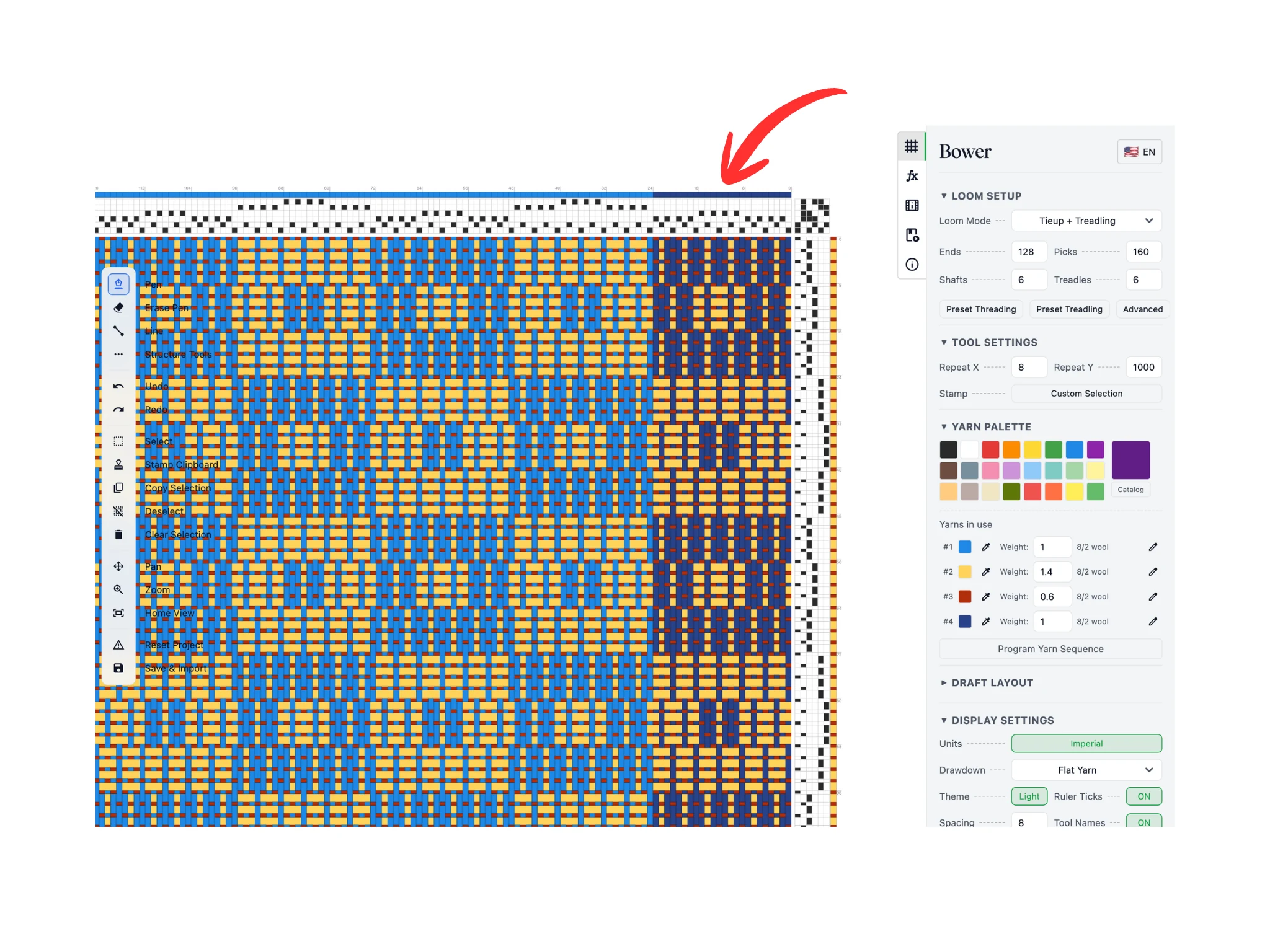
Ahora demostraremos secuencias de hilos más avanzadas que puedes programar para acelerar tus flujos de coloreado.
Hemos definido la primera columna de bloques del motivo de damero en un color más oscuro mediante asignaciones de color de urdimbre. El objetivo es alternar entre los dos tipos diferentes de azules para nuestros motivos.
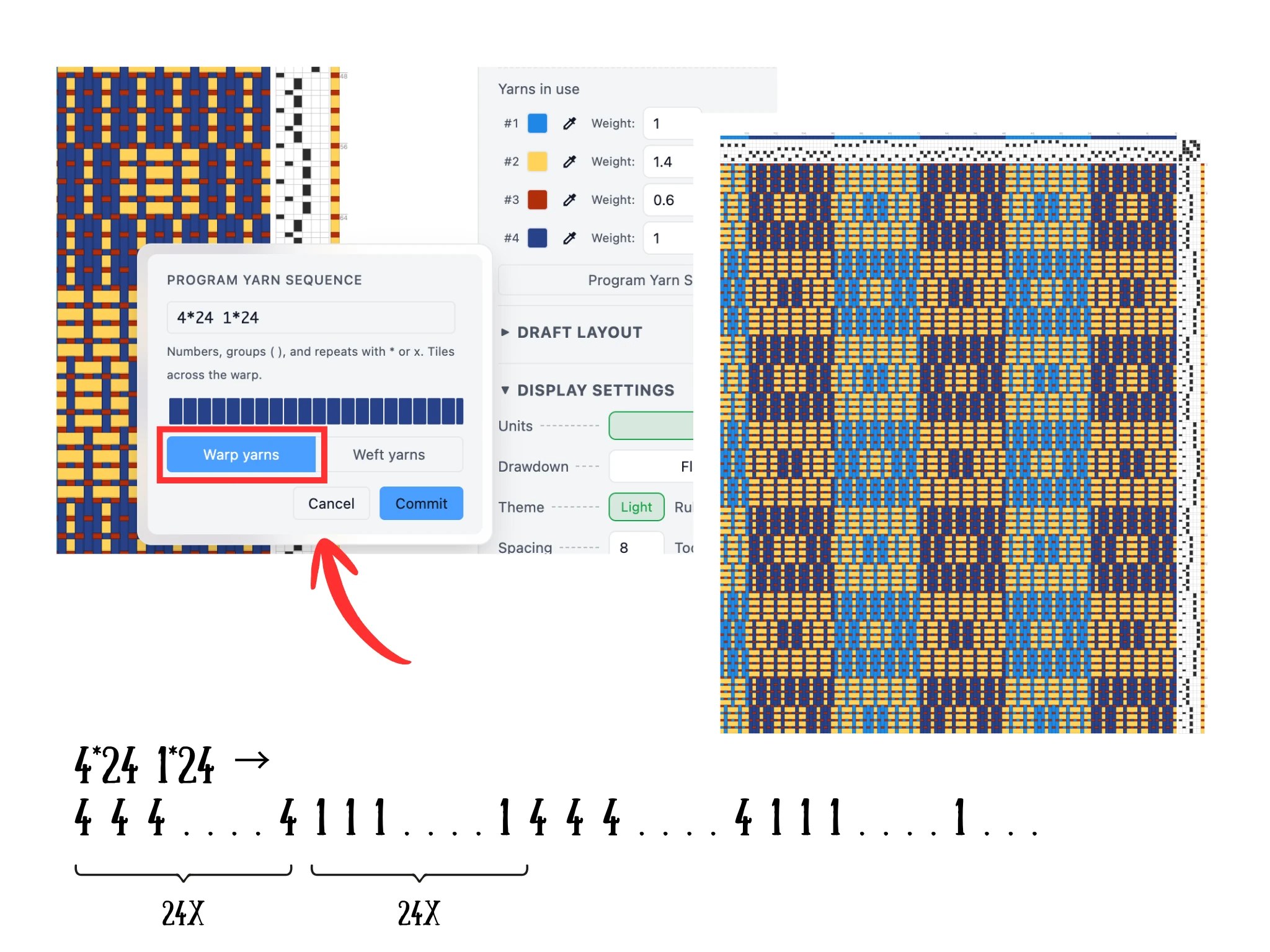
Ten en cuenta que el hilo azul oscuro es el #4 y el hilo azul claro es el #1. Podemos usar asteriscos, es decir, "*", para denotar la multiplicación de un hilo. El formato es [número de hilo] * [número de veces].
Así, la fórmula 4*24 repite el hilo 4 un total de 24 veces. De igual modo, la fórmula 1*24 repite el hilo 1 un total de 24 veces. Juntándolas, 4*24 1*24 nos da 24 hilos de azul oscuro y luego 24 hilos de azul claro, y esto se repite.
Recuerda elegir la opción «Hilos de urdimbre» y luego hacer clic en «Commit». Observa el editor y cómo esto ha logrado las asignaciones de color deseadas.
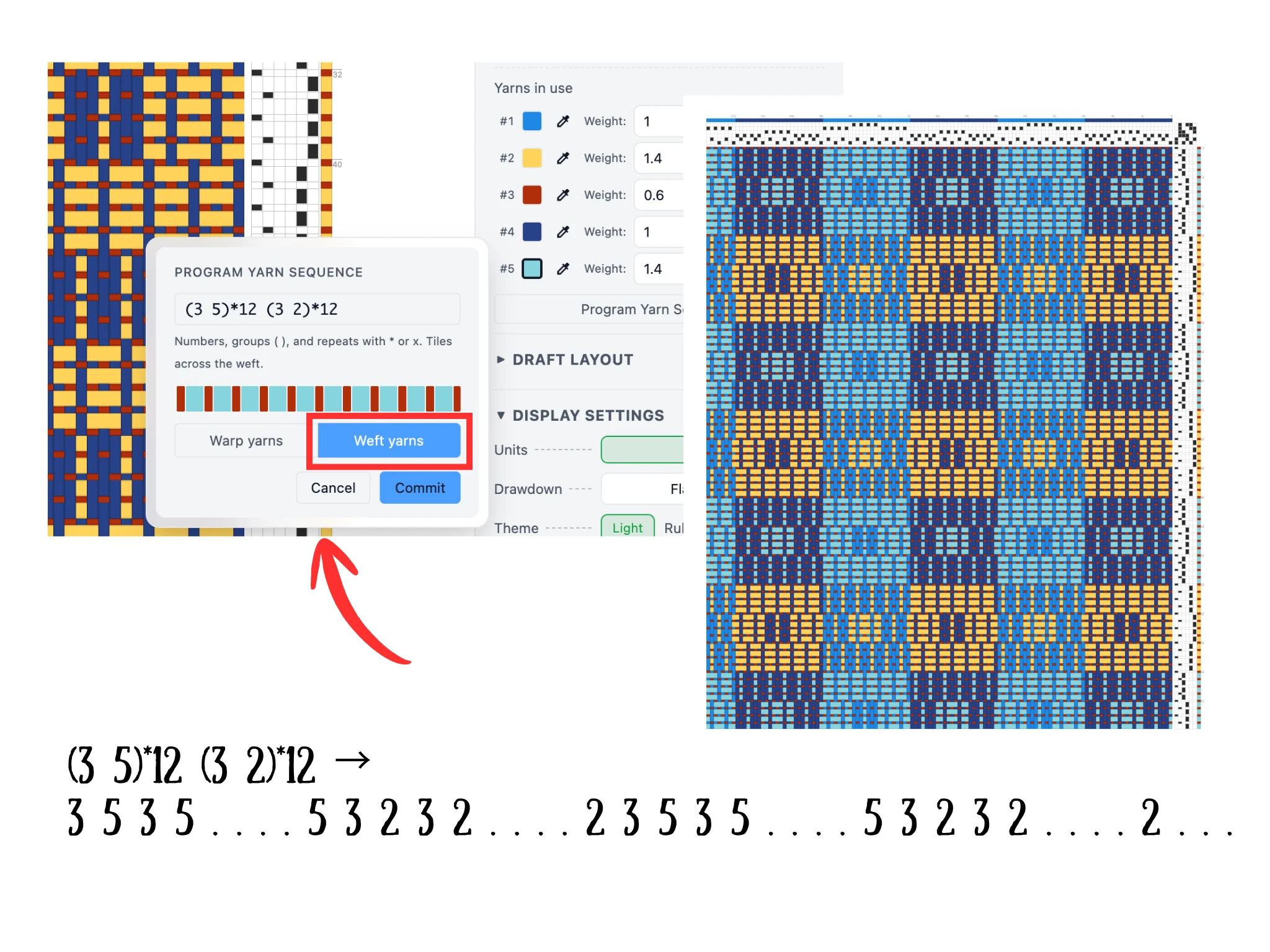
Podemos añadir un color aguamarina para que alterne con las filas amarillas de bloques. Esto es complicado porque necesitamos que la pasada de patrón alterne de color manteniendo el color de nuestra pasada de tafetán.
Las fórmulas admiten crear grupos de secuencias de hilos usando paréntesis. Primero, haz clic con el aguamarina en el patrón del tejido, p. ej. una pasada de patrón, para añadirlo a la sección Hilos en uso. Para nuestro tutorial es el hilo #5.
En una fórmula (3 5), el 3 y el 5 están agrupados de modo que, cuando multiplicamos, p. ej. (3 5) * 2, obtenemos 3 5 3 5. Esto se vuelve potente cuando combinamos dos grupos de este tipo, p. ej. (3 5)*2 (3 2)*2, que da 3 5 3 5 3 2 3 2.
Para el diseño de Verano e Invierno del tutorial, usa la secuencia (3 5)*12 (3 5)*12, que nos dará nuestras filas alternas de aguamarina y amarillo con el fondo de tafetán rojo.
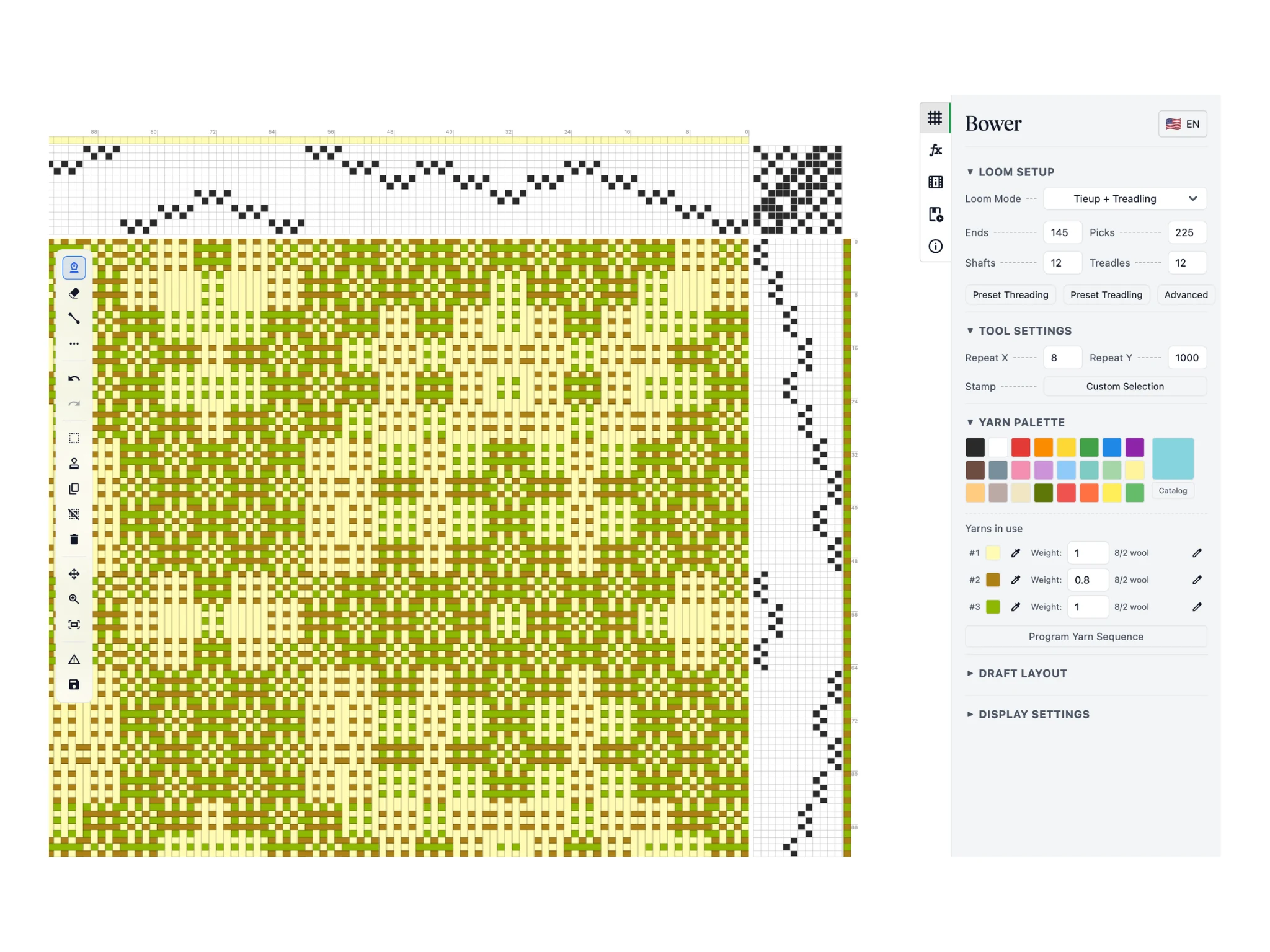
Por último, compartimos un diseño más que usa colores alternos de tafetán y de patrón definidos con una fórmula 2 3. ¡Puedes ver lo útil que es programar secuencias de hilos!
Programar secuencias de hilos en Bower es una forma potente y rápida de gestionar las asignaciones de color en tu urdimbre y trama. ¡Felicidades por terminar este tutorial de Bower!
Si quieres ayuda con esta función avanzada y tienes una licencia, escribe a [email protected] y nuestro equipo de soporte experto te ayudará lo antes posible.