Opening Bower
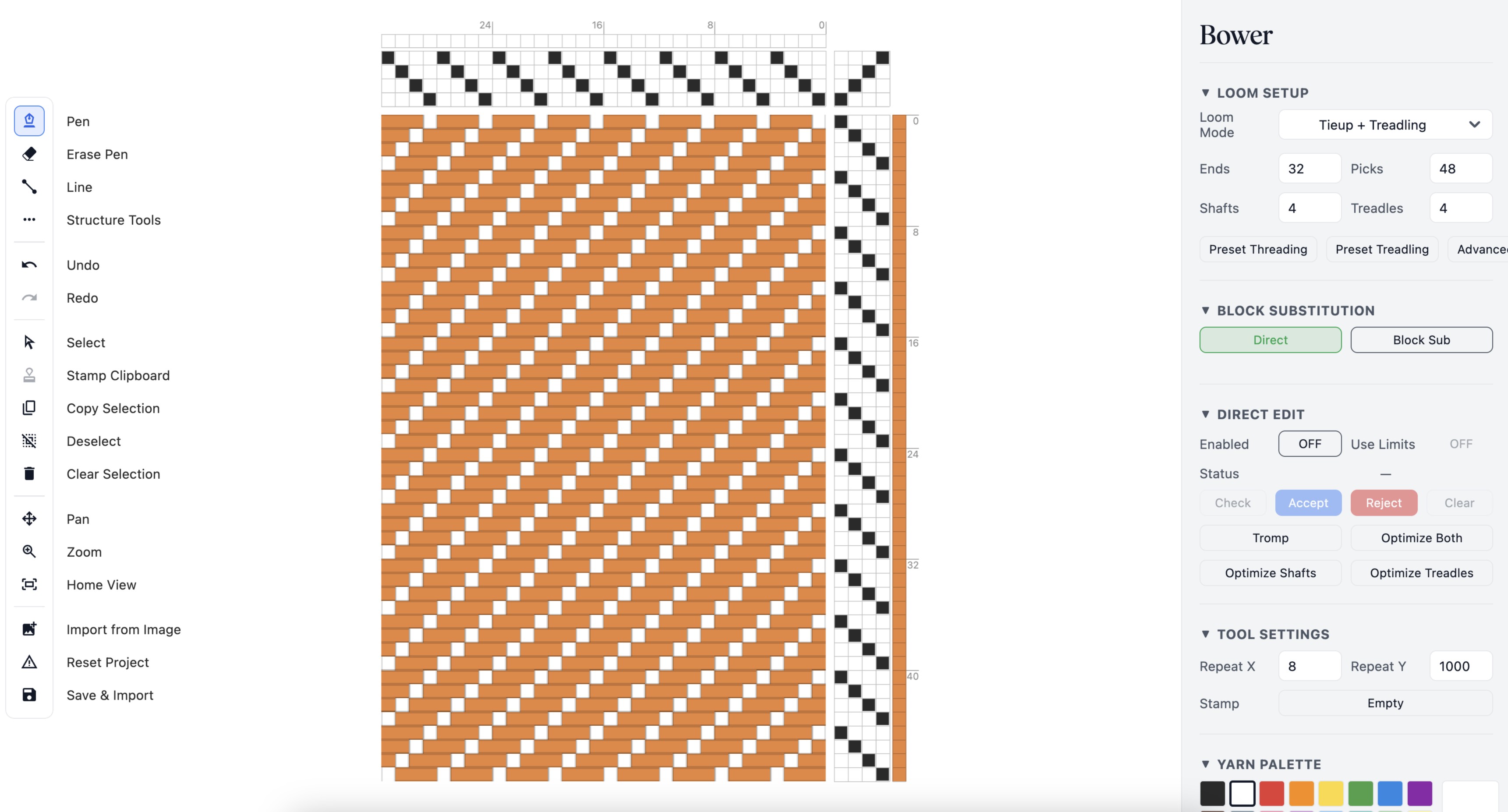
When you open Bower, you start with a seeded draft: 32 warps, 48 wefts, 4 shafts, and 4 treadles. The canvas fills most of the screen, with a toolbar on the left and a properties panel on the right.
Select the Pen Tool
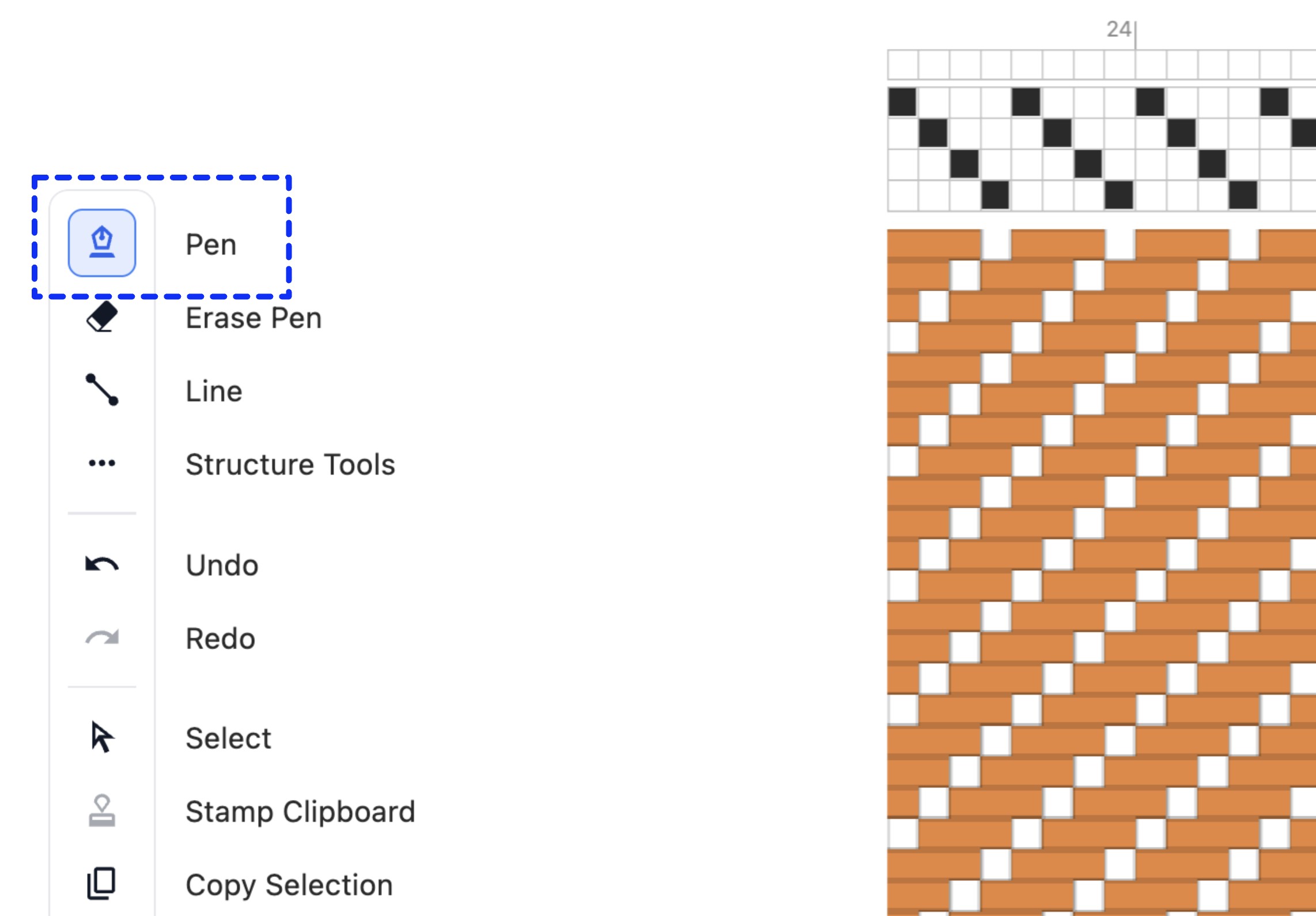
Before you start editing, make sure the Pen tool is selected in the toolbar on the left. It should be highlighted by default — if not, click it. The pen tool lets you fill cells by clicking on them.
The Four Quadrants
A weaving draft is split into four grids arranged in an L-shape. The threading grid sits at the top left. The tie-up grid sits at the top right. The treadling grid sits at the bottom right. The drawdown fills the bottom left — it's the largest area and shows the resulting fabric.
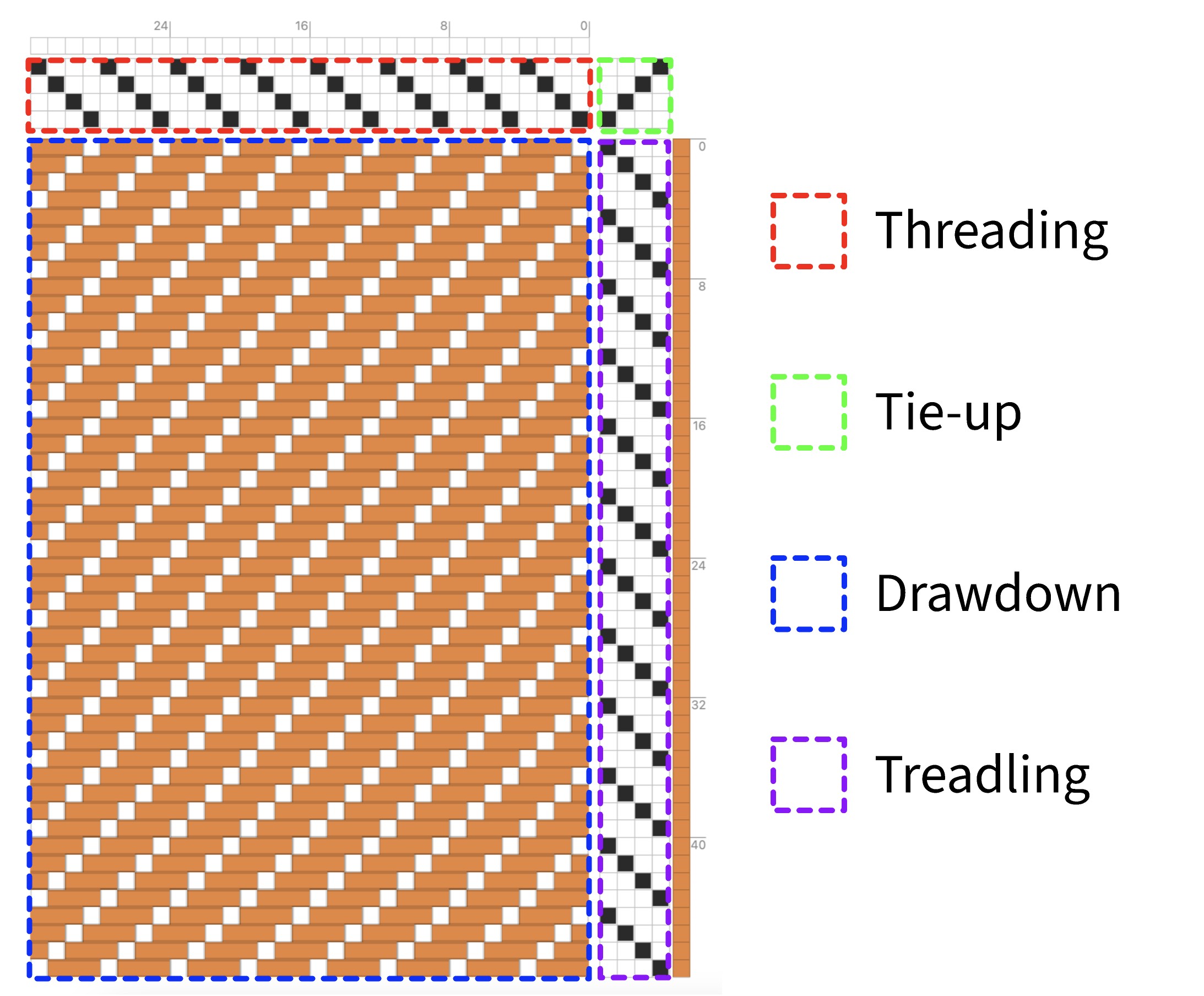
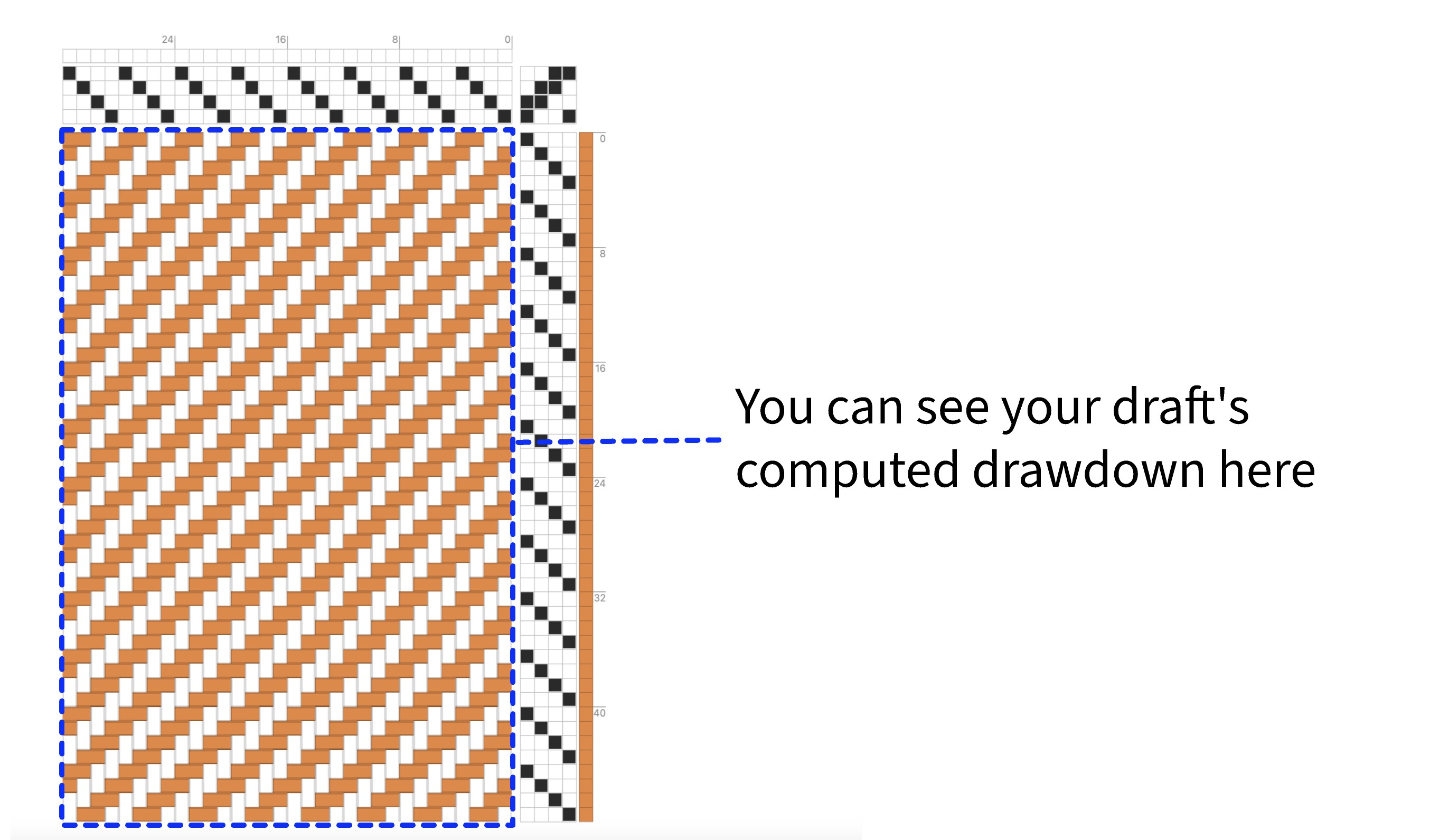
Everything you do in the first three quadrants flows into the drawdown. The drawdown is a result — it shows you what the fabric will look like given your threading, tie-up, and treadling.
Threading
Threading tells the loom which shaft each warp thread passes through. Each column is one warp. Each row is one shaft. Click a cell to assign that warp to that shaft. Each warp should be on exactly one shaft.
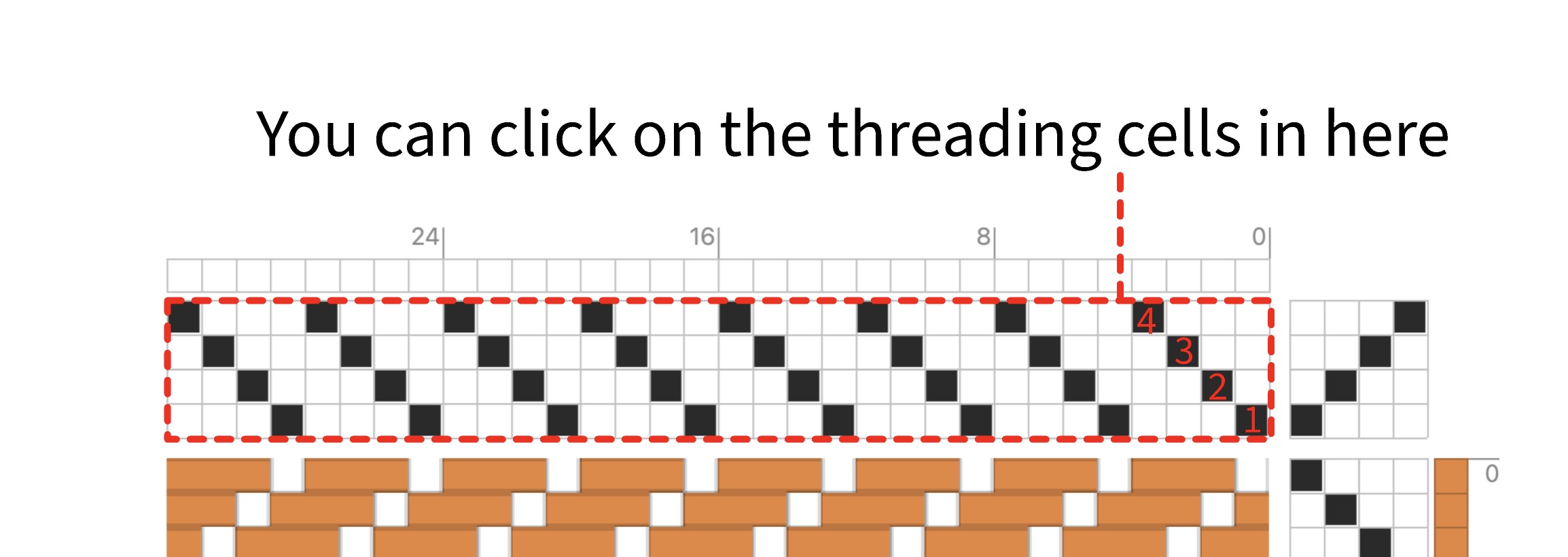
A simple pattern to start with is a straight draw — thread each warp on the next shaft in order, then repeat. Shaft 1, 2, 3, 4, 1, 2, 3, 4, and so on across all your warps.
Tieups
Tie-ups connect shafts to treadles. Each column is a treadle, each row is a shaft. A filled cell means "when this treadle is pressed, this shaft rises." Multiple shafts can be tied to the same treadle. If you make a mistake, right-click a cell to clear it.
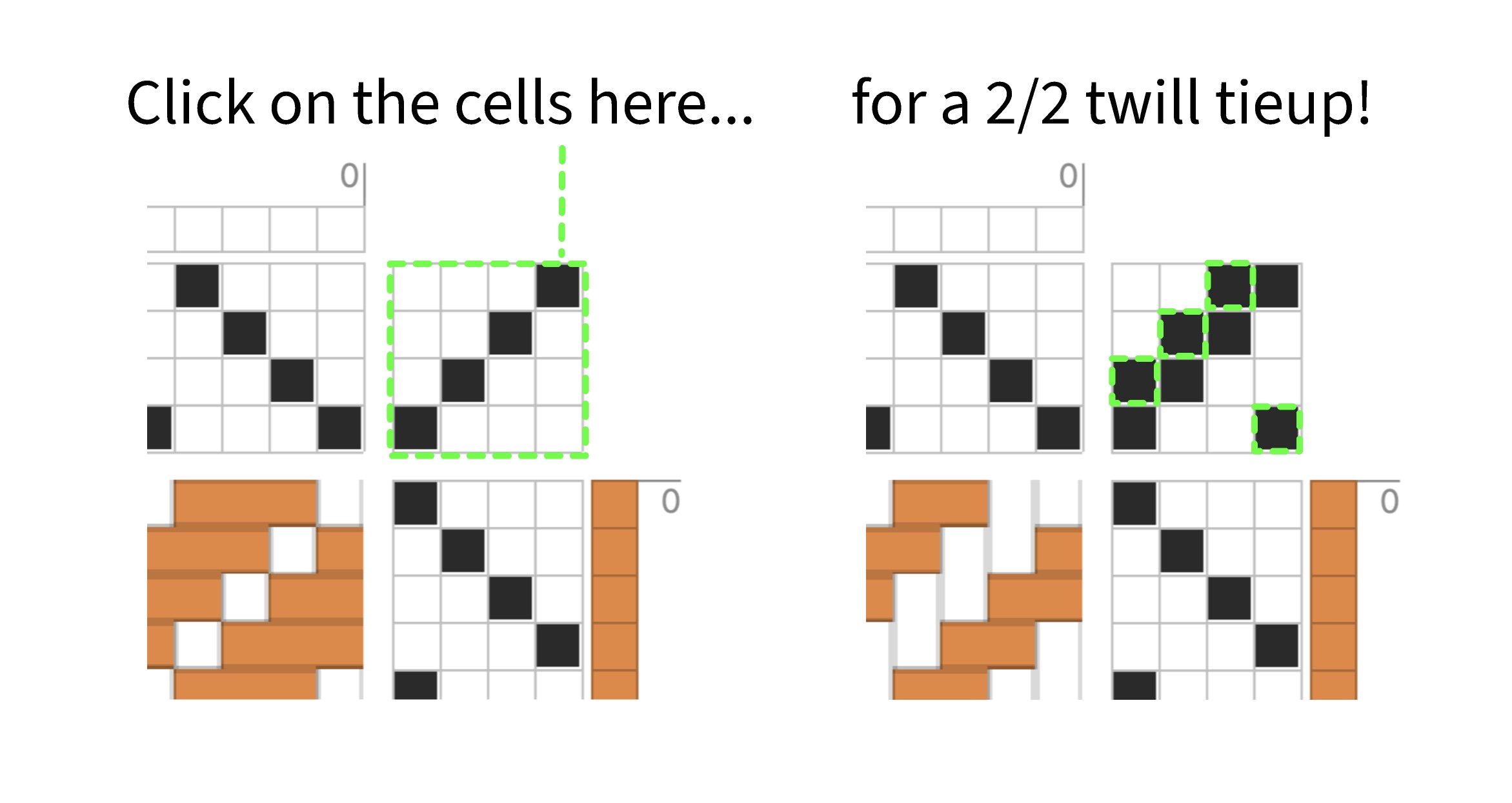
For a basic 2/2 twill, tie each treadle to two adjacent shafts: treadle 1 lifts shafts 1–2, treadle 2 lifts shafts 2–3, treadle 3 lifts shafts 3–4, treadle 4 lifts shafts 4–1.
Treadling
Treadling defines the order you press treadles, one per weft pick. Each row is one pick (one pass of the shuttle). Click cells to assign each pick to a treadle.
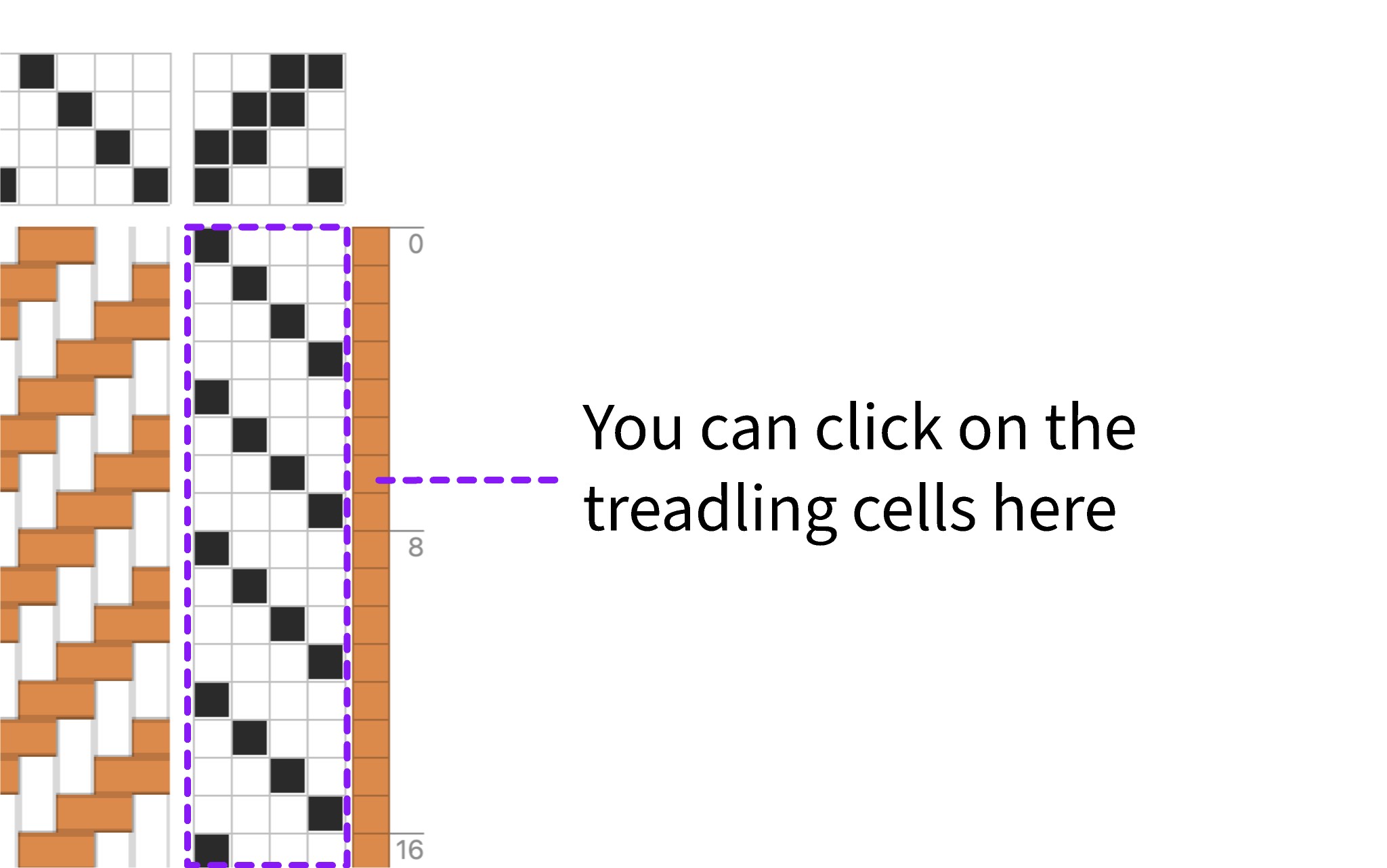
A straight treadling — treadle 1, 2, 3, 4, repeating — combined with the twill tie-up above will produce a classic diagonal twill pattern in the drawdown.
Reading the Drawdown
The drawdown updates live as you edit. Each filled cell means the warp thread is on top of the weft at that crossing. An empty cell means the weft is on top. Together, the pattern of filled and empty cells shows you the structure of the fabric.
Saving Your Draft
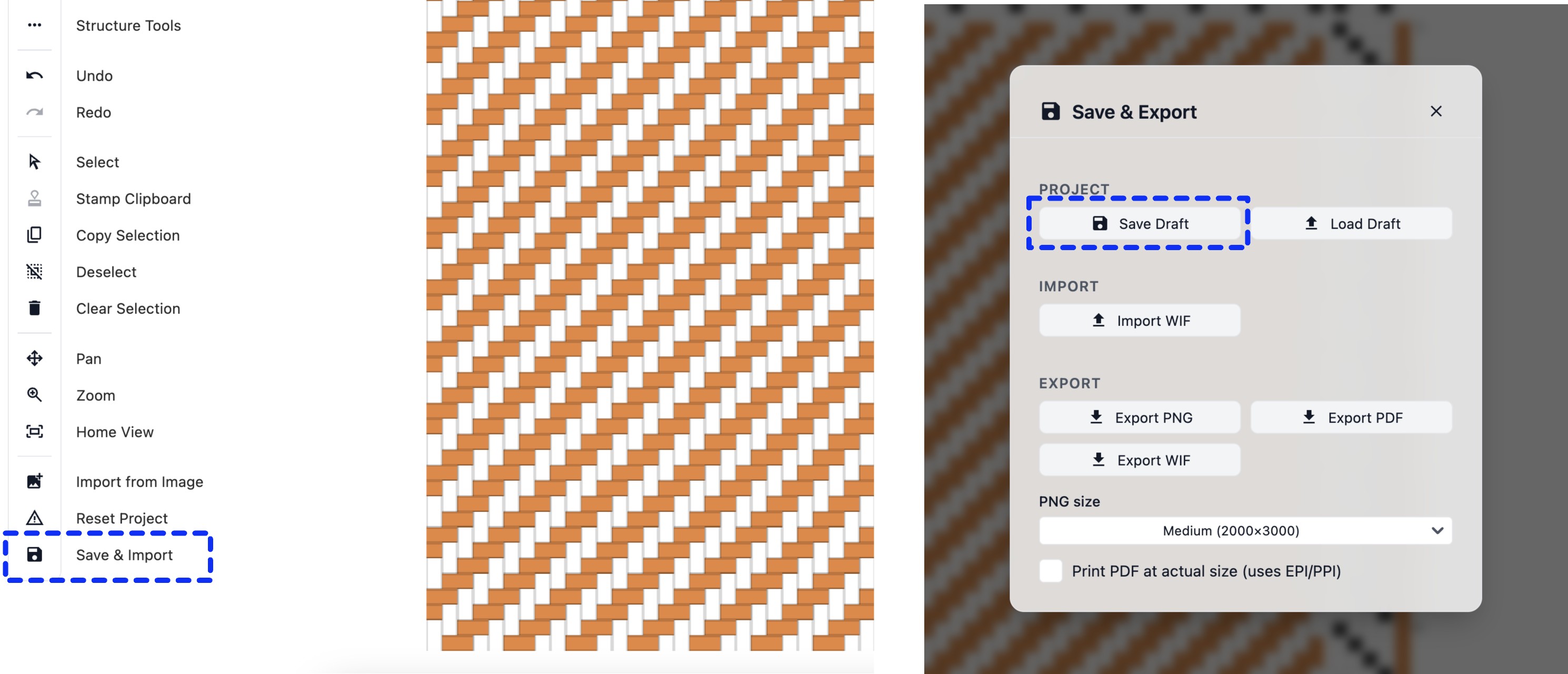
Click the Save & Import button in the toolbar to open the save modal. From here you can
save your work as a .bower file — Bower's native project format. You can also export a PNG
or PDF of your draft. Your draft is also autosaved to your browser's local storage as you work.