Bower: Free Weaving Software
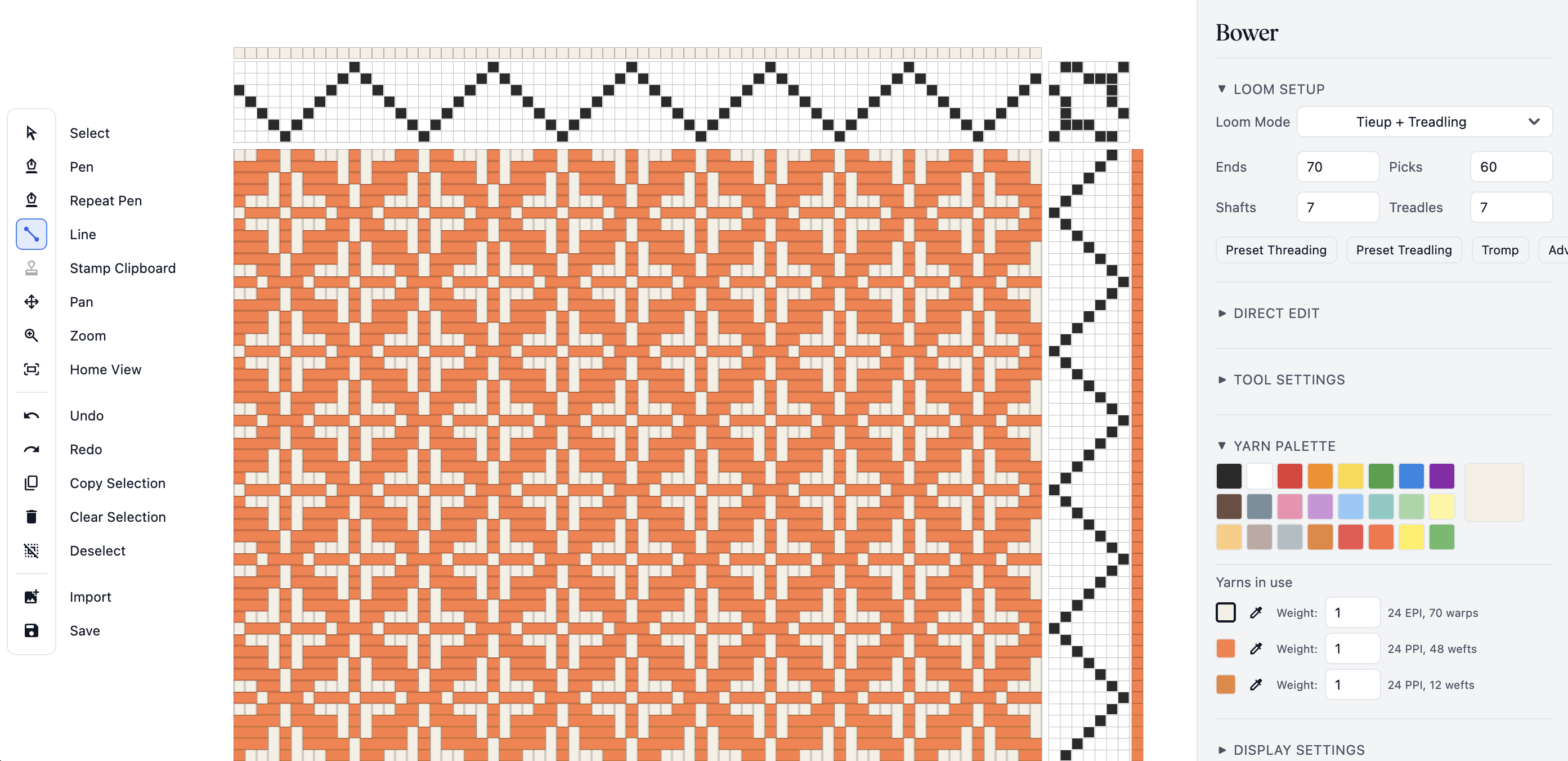
Bower is weaving software that runs in your web browser, free for one hour every day. No download required, no subscription, no trial period. It works on Mac, Windows, Linux, iPad, Android, and even your phone.
Design weaving drafts with tieup and liftplan modes, import and export WIF files, and explore pattern structures visually. Bower is built for all your handweaving needs. Read the full feature list here →
- WIF import and export: bring drafts from other weaving software or share yours
- Tieup, treadling, and liftplan modes: switch between representations in the editor
- Pattern presets and stamp library: start from common structures or build your own
- Yarn color, thickness, and sett controls: set EPI, PPI, and preview yarn appearance
- PNG and PDF export: print at actual size using your EPI and PPI settings
Bower is free, with every tool available one hour a day. A one-time $29.99 license removes the daily limit and works on up to two devices. If Bower is useful to you, please consider supporting the project!
Buy NowFrequently Asked Questions
What is Bower?
Bower is free weaving design software that runs in the web browser. Bower helps you create, edit, and export weaving drafts in a modern, easy-to-use application. Bower is developed by Asunder LLC, a small design studio located in Massachusetts.
Do I need to install Bower?
No. Bower runs directly in your web browser such as Google Chrome, Safari, and Microsoft Edge. Therefore you can open it online and start working immediately.
Who is Bower for?
Bower is for handweavers, textile artists, weaving students, educators, and makers who want a simple way to build and test weaving drafts digitally.
Can I import WIF files?
Yes. Bower supports WIF import and export, along with its native .bower project format for saving and reloading drafts. Legacy .loom project files still import correctly.
Does Bower support liftplan drafting?
Yes. Bower supports both tieup and liftplan workflows, and can convert between those representations inside the editor. Perfect for your table loom and dobby loom needs!
Does Bower support profile drafting?
Yes. Profile drafting lets you work with block substitution using built-in unit weave structures including Summer and Winter, Atwater-Bronson lace, Huck lace, turned twill blocks, and multishaft overshot variants.
Can I export print-ready output?
Yes. Bower can export PNG, PDF, and WIF. PDF export also includes a print-at-actual-size mode using EPI and PPI settings.
What file formats does Bower support?
Bower uses its own .bower project format for saving and loading drafts. It also imports and exports WIF (Weaving Information File) for interoperability with other weaving software. Legacy .loom project files from earlier versions still import correctly.
Do any features require a license?
No. Every feature is free to use: the core editor (threading, tieup, treadling, liftplan, WIF import/export, pattern presets, and all export formats) as well as Direct Edit, profile drafting (block substitution), loom optimization, and 3D yarn simulation. A license only removes the one-hour daily limit, and the apps for Mac, iPad, and other devices work the same way. The browser version stays free for one hour every day.
Can I edit the drawdown directly?
Yes. Direct Edit lets you paint on the drawdown itself, run a feasibility check, and accept a decomposition back into loom structure.
Can Bower optimize a draft for shafts and treadles?
Yes. Optimize Shafts & Treadles reduces the number of shafts or treadles your draft needs while the cloth stays the same. You will find it in the Operations section of the Block & Optimizations tab.
Can I extract a draft from an image?
Yes. Import from Image lets you load a photo or scan of a drawdown, correct the perspective, and extract a grid into a Bower draft.